Running a coding agent such as Claude Code from a bare terminal works well for one task at a time. It gets awkward once several agents run in parallel, the work moves to a remote server, and the agent's output has to be reviewed in a browser, a diff view and a Markdown file at once. Orca, an open-source "Agent IDE" that recently shipped a burst of updates, is built around that problem. Measured against Cursor, the Codex app, Conductor, T3 Code, OpenCode, Zed and Windsurf, it stands out because it checks nearly every item on a practical list: open licensing, support for any CLI agent, flat-rate subscriptions, worktree management and deployment to a virtual private server (VPS).
This article walks through what those requirements mean in practice, how Orca addresses each one, and where the tool is still immature.
A checklist for an agentic development environment
The comparison across so many tools produced a fairly concrete set of requirements for a place to run coding agents:
| Requirement | Why it matters for agent work |
|---|---|
| Open-source license | Protects against vendor lock-in, sudden terms-of-service changes or a platform being withdrawn |
| Any CLI agent as a backend | Lets the developer switch between Claude Code, Codex, Gemini, OpenCode, GitHub Copilot and others |
| Subscription support | CLI agents run on flat monthly plans instead of per-token API billing |
| Worktree management | Multiple agents need isolated branches so they do not collide |
| VPS deployment | Long-running agents can live on a remote machine rather than a laptop |
Orca is released under the MIT license and has accumulated roughly 124,000 stars on GitHub, up from 91,192 at an earlier point on its growth chart. The emphasis on the license is deliberate: the argument is that a closed-source agent IDE controls the workflow, the configuration and the pricing, and leaves the developer with no ownership of any of it. Whether that risk outweighs the polish of closed tools is a judgment call, but it is the central argument for choosing Orca.
Any agent, paid for by subscription
Orca does not connect to model APIs directly. It orchestrates the official command-line agents instead: Claude Code, Codex, GitHub Copilot, OpenCode, Pi, Gemini and the Cursor agent, among others. The settings page lists dozens of toggles, including Claude, Codex, Gemini, Qwen Code, Hermes, Grok, DeepSeek Harness, Antigravity, Kimi and Aider.
That architectural choice has a financial consequence. Because the agents are the vendors' own CLI tools, they run on the vendors' flat-rate monthly plans rather than variable per-token API charges. For agent-heavy loops and automated pipelines that burn through tokens, the claim is that this produces large savings compared with paying by the token. The practical tip that follows is simple: install the official CLI tools for Claude Code, Codex or Gemini first, then point Orca at them.
A terminal tab opens with one click and shows the live state of the running agent, such as a Claude Code 2.1.323 session. A split layout can show Claude Code on the left and OpenCode on the right at the same time. The bottom status bar carries widgets for active context tokens, session duration, context limits and local memory consumption, so a developer can see when an agent is approaching its context ceiling without asking it.
Chat Mode and the side panel
Not everyone wants to live in a command line. Orca's Chat Mode wraps the underlying CLI agent in a graphical chat interface with a prompt box and model selectors, producing an experience similar to Cursor or T3 Code while the official Claude Code engine still does the work underneath. The useful detail is that switching between raw terminal mode and Chat Mode does not lose context or the agent's working memory, so a developer can drop into the terminal for something specific and come back.
The side panel adds a file explorer, agent session history and Git source control. The session history indexes conversations across projects in the workspace (one example workspace listed 11 indexed sessions and a project index of 2,202 files) and is searchable, so older agent interactions can be found again. The Git view shows an interactive commit tree, uncommitted diffs (one example showed +329 and -3,029 lines), a commit message input and pull request creation, all beside the agent terminal rather than in a separate application.
Markdown as a first-class file type
One point gets unusual weight: Markdown editing. Modern agent setups depend heavily on Markdown documentation and instruction files such as AGENTS.md, yet many rival IDEs lack a native visual Markdown editor. Orca opens Markdown files in a visual editor with a formatting toolbar, live rendering and a generated, clickable table of contents. A developer logged into an Orca account can also share a Markdown document as an interactive web artifact in one click. The absence of this feature elsewhere is described as a major oversight, given how much of an agent's context now lives in Markdown. It also makes Orca usable as a general editor for documentation, guides and shell scripts, not only application code.
Port management for parallel test runs
Agents and dev servers spawn background processes. Orca's port widget lists every local port currently in use, with process IDs, and lets the user inspect or kill a process in one click. A typical list shows ephemeral test ports such as 51255, 59650 and 63800 alongside the default Next.js server on port 3000. When several agent test suites run at once, this is the quickest way to clear lingering Node or Python servers. Projects can also be given custom icons and color codes to tell parallel workstreams apart.
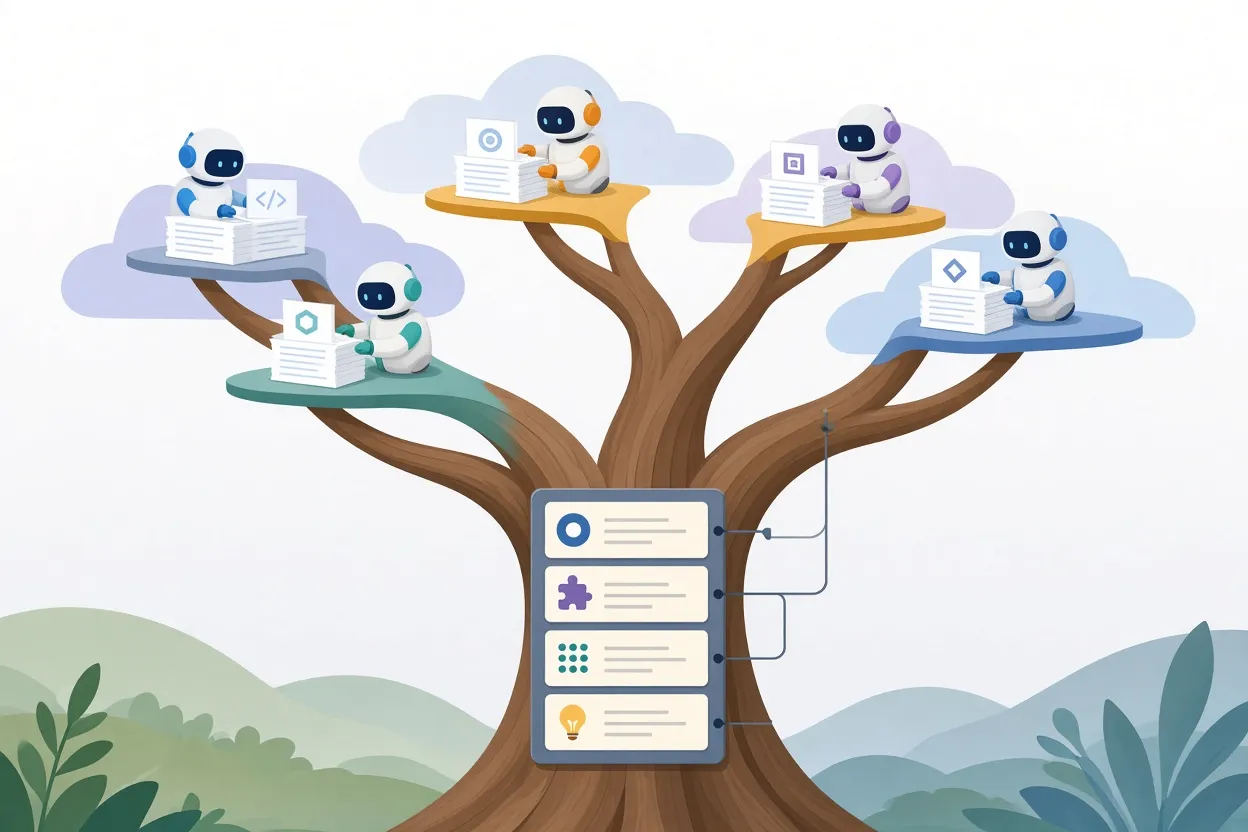
▲ One agent per isolated Git worktree
One agent, one worktree
The organizing principle for parallel work is "one agent, one worktree." A Git worktree is a separate checkout of the same repository on its own branch, so two agents editing the same codebase never touch the same working directory. A concrete example is Claude Code and Codex running simultaneously on the same project in separate worktree branches with no Git conflicts.
Creating a worktree takes three choices: click the plus icon, name the task, and pick the agent and the execution environment. The modal also exposes the branch name (for example "chore: setup-database"), the parent branch and sparse checkout options. The execution environment can be the local Mac or a remote Contabo VPS.
From ticket to branch in one click
The Tasks section integrates with GitHub Issues, Jira and Linear. Selecting an open issue, such as "#1 Setup the database," and clicking Start provisions a dedicated branch and worktree and assigns the chosen agent. The manual Git branch bookkeeping that normally sits between a backlog ticket and a delegated agent task disappears. The argument is that this model becomes essential, not optional, as soon as a team tries to scale beyond a single agent working at a time.
Automations
An Automations tab schedules recurring agent jobs. Example templates include a weekday repository audit, security checks and Cloudflare security scanning across all repositories, and daily change reviews.
Reviewing front-end work without leaving the IDE
Orca ships a built-in browser based on Chromium. A Next.js application running on localhost:3000 can be previewed inside the workspace. On top of the preview sits a visual annotation tool: a developer draws boxes or circles, highlights elements and writes text notes directly on the running page. Multiple annotations can be batched and sent as a single structured prompt into the agent's context, which in the example meant marking up a hero banner and header and sending the bounding coordinates to the agent to update page.tsx.
The browser is also deliberately unrestricted compared with the typical embedded webview. It supports Chrome extensions, separate browser profiles, cookie sync, saved passwords and Touch ID autofill, which matters when testing a login-protected app. The claim is that this combination noticeably shortens the review loop for AI-generated front-end code.
For mobile developers, an integrated iOS emulator, such as an iPhone 16 Pro running iOS 17.2, sits beside the code and terminal. Agents can drive the emulator through CLI commands for autonomous app testing. Orca also supports Computer Use permissions and system accessibility features, so agents can operate local desktop software for UI testing.

▲ Local typing with batched prompts sent to a remote server
Remote servers without the typing lag
Orca can open a project that lives on a remote VPS and browse its directories as if local. One example setup pairs with a Contabo VPS in Europe at a baseline ping of about 40 milliseconds. In a conventional SSH terminal, every keystroke makes that round trip, and typing feels sluggish.
Orca's answer is to run Chat Mode locally and send only finished prompts to the agent on the remote machine. Typing is instant because it never leaves the laptop; the network delay applies once per prompt rather than once per character. The caveat is worth stating plainly: the latency has not been removed, only hidden behind a local interface, but for interactive work the result is that the lag is no longer noticeable.
Workspace Board and mobile app
A kanban-style Workspace Board tracks agent jobs across Todo, In Progress, In Review and Done columns, which is how dozens of concurrent worktrees stay legible. The Orca Mobile app pairs a phone by QR code over Orca Relay or the local network, and from the phone a developer can watch agent status, continue a chat, review diffs, manage worktrees and approve tool requests away from the desk.
Plugins: promising, but early
A built-in marketplace offers themes such as Ayu and Catppuccin, syntax highlighters and workflow tools. Notable plugins include a native Word document viewer, an embedded Excalidraw whiteboard, a Skill Usage analyzer that shows active Model Context Protocol (MCP) tool calls during debugging, a real-time activity monitor and a Spotify desktop player. There are also two games, the Orca Run side-scroller and Putt Request minigolf, for the wait during long multi-file refactors. Because the plugin system is open, teams can build and publish their own plugins, mods and MCP tools.
The honest caveat is that this ecosystem is still in an early alpha stage. Teams that depend on plugins for core workflow should expect rough edges.
What to take from this
The underlying point is not about one product. It is that a coding agent becomes far more useful when its environment handles the surrounding work: isolating parallel tasks, connecting tickets to branches, previewing and annotating output, keeping an eye on tokens and ports, and reaching a remote machine without friction. Orca bundles those pieces under an MIT license and lets the agent itself stay on a flat-rate subscription.
For developers who want to try the approach:
- Install the official CLI for whichever agent you already pay for, such as Claude Code, Codex or Gemini, and run it through Orca rather than through an API key.
- Start every agent task in its own worktree, and connect GitHub Issues, Jira or Linear so tickets create those worktrees for you.
- Use the built-in browser's annotation tool to send grouped UI feedback in a single turn instead of describing changes in prose.
- If your agents live on a VPS, work through Chat Mode rather than a raw SSH terminal.
- Pair the mobile app so long-running jobs can be checked and approved from a phone.
Treat the plugin marketplace as a bonus rather than a foundation for now, and judge the core workflow on its own merits by running two agents in parallel on a real repository.