Anthropic has rebuilt its Claude desktop application from the ground up, and the scale of the change is large enough that an engineer on the Claude Code team described the release on X as essentially Claude Desktop 2.0. The overhaul consolidates the app's navigation, expands Artifacts into five output formats, adds a Session Rail that tracks a 1-million-token context window, and introduces a set of multitasking tools: Side Chats, Forking, Split View, Nested Sessions, Master Sessions and Projects. It also adds cloud execution, mobile Remote Control, a native keep-awake setting and a mod system that lets users reshape the interface in plain English. For existing users, the most useful first step may be to visit the settings menu, because several of the biggest gains depend on two toggles that need to be switched on.
A simpler app with Code at the center
The most visible structural change is the removal of the standalone Cowork tab. Cowork now lives inside Chat, and the app is reduced to two primary tabs: Home, which holds Chat and Cowork, and Code.
The Code tab is where Claude Code runs. Despite the name, it does not require any programming knowledge. Users describe what they want in natural English, and Claude carries out the task on the computer. One example: a user asks Claude to sort a Downloads folder containing 1,204 files into subfolders by file type and report what moved. Claude creates five category folders and does the work without the user typing or reading a line of code. Given that, the "Code" label appears to be a naming problem more than a feature problem, since it may scare off exactly the non-technical users who would never look at code anyway. Anthropic could eventually rename it.
Artifacts grow into five formats
Artifacts are the standalone outputs Claude produces in a side-by-side window whenever it creates something self-contained, such as a plan, a deck or a prototype. They are now available in both Chat and Code, and they come in five formats:
| Format | What it does | Status |
|---|---|---|
| Docs | A collaborative text document that behaves like a chat-enabled Google Doc | Available |
| Slides | Generates a presentation that can be presented natively or exported as PowerPoint (.pptx) or PDF | Available |
| Design | Mobile app prototypes, website mockups and social posts, migrated from the Claude Design website | Available |
| Dashboard | Charts connected to live data sources such as analytics, email platforms, revenue systems and spreadsheets | Beta |
| Motion | Animated title sequences and motion graphics generated through code, with parameter controls, a timeline scrubber and hex color adjustments | Beta, currently aimed at paid and ultra tiers |
Two details stand out. First, the standalone Claude Design web platform is being discontinued, with its capabilities moving directly into desktop Artifacts. Second, Motion graphics are produced by code rather than by a generative video model, which makes them faster to render and easier to adjust precisely. An example dashboard for a recipe newsletter had KPI cards for subscribers (12,480), open rate (52.4%) and paid monthly recurring revenue ($6,192) updating from connected sources instead of sitting as static charts.
The Session Rail and context tracking
A new expandable Session Rail sits in the top-right toolbar. It shows whether a session is running locally or in the cloud, lists the active folder path, and includes a per-session toggle for mobile Remote Control.
The rail also visualizes context usage against Claude's 1-million-token window, breaking consumption down by messages, system tools, MCP tools (external tool integrations that use the Model Context Protocol), custom agents, memory files and the auto-compact buffer. In one example session, 193.9k tokens were in use (19%), with 140.9k taken by message history and 705 MCP tools connected. A compact circular context meter next to the model selector at the bottom prompt bar gives the same signal at a glance. Users can compress older context manually with the /compact command or let Claude summarize it automatically as the limit approaches.
The same top-right panel offers tabs for a built-in terminal, git change history, an integrated web browser and the full project file tree. On the left, a new Sections feature groups sessions like folders, by project or subject rather than by computer path, which is a better fit for anyone juggling work for several clients or products.
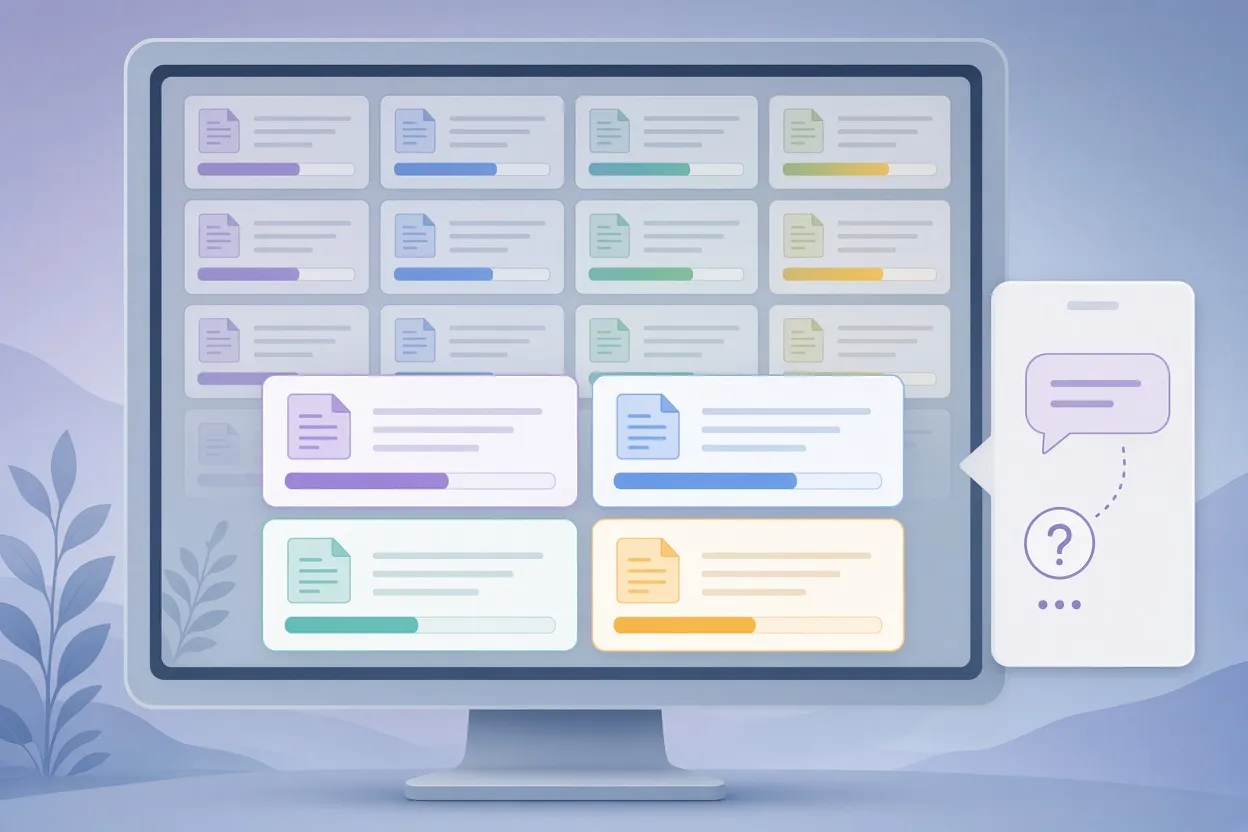
▲ Split View sessions with a Side Chat drawer
Side Chats, Forking and Split View
Three features address the problem of working alongside a task that is already running.
- Side Chat opens from the session menu or with Command/Ctrl + and lets you ask Claude about an ongoing task without interrupting it. The side chat reads the full context and state of the parent session, so a question like "which step is it on, and how much is left?" gets a real answer. Side chats are temporary and disappear when closed, which keeps token usage down but also means any important notes must be copied elsewhere.
- Forking clones a session from a chosen point into a new thread. Right-click a conversation and choose Fork before trying a risky or experimental prompt, so the original baseline stays intact.
- Split View docks multiple sessions side by side. Right-click a session and choose Open in, then Split view. The layout scales to many panels; one example ran 16 at once. In practice, three or four open at a time appears to be the sweet spot for actually following what each agent is doing.
Settings to change first: keep awake and Remote Control
Two settings matter most for long, unattended runs.
Keep computer awake while Claude works is a new toggle in the main settings menu. Previously, users had to ask Claude to keep macOS awake or change energy saver preferences by hand, which risked leaving a machine powered on all night. With the native toggle, the computer stays awake only for the duration of the active task and then sleeps after the normal idle threshold, around 15 minutes in one example. It can be switched on inside individual sessions, but enabling it globally is the safer choice so an overnight build is never interrupted by accident. It may be the single most valuable quality-of-life addition in this release.
Remote Control lets the Claude mobile app monitor and steer desktop sessions. It can be toggled per session from the Session Rail or enabled globally under Settings, Claude Code, Connect new sessions to Remote Control. A further option, Every new session, makes the connection automatic. Once enabled, active computer sessions appear under the mobile app's Code tab, where you can send replies, inspect code updates and approve terminal permissions. One example is an approval request on the phone for a git push origin main command, with Approve and Reply buttons.
Cloud sessions and the /goal loop
For work that should survive a closed laptop lid, cloud sessions run tasks inside remote containers. When starting a prompt, switch the environment dropdown from This computer to Cloud. Cloud sessions cannot read local files, but they work smoothly with hosted Git repositories such as GitHub repos, so lengthy builds and linting runs are good candidates.
Cloud execution pairs naturally with the /goal command, which sets an explicit finish line and makes Claude alternate between work and verification phases in repeated laps until the goal is confirmed. One example timeline ran from 0h 01m to 10h 00m across multiple laps with checkpoints and phone notifications along the way. The key constraint is that the goal must be machine-verifiable, such as "all pages load and all links work." A target like "make it great" cannot be checked, so Claude cannot know when to stop.
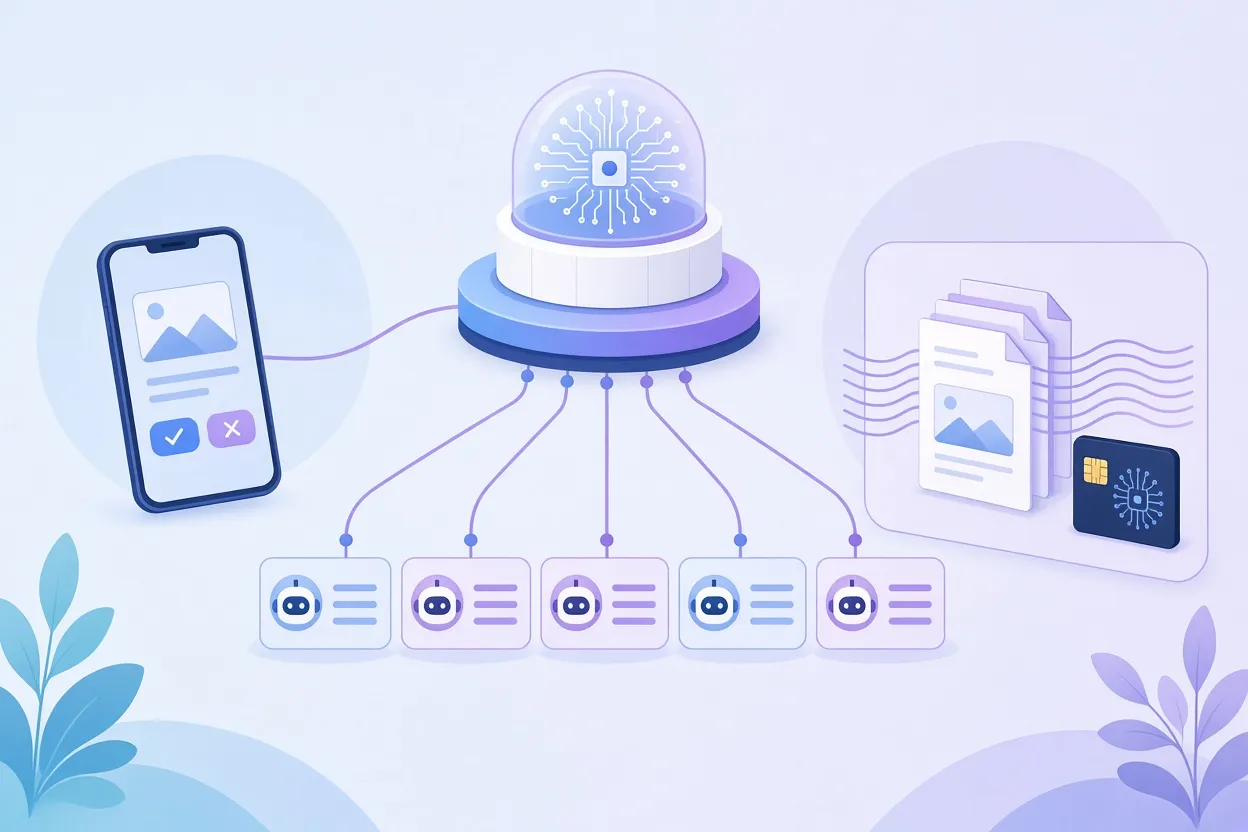
▲ Master Sessions, Nested Sessions and Projects
Three ways to multitask: Nested Sessions, Master Sessions, Projects
Claude Code now offers three distinct multi-session structures, each suited to a different job.
Nested Sessions split a complex assignment into child sub-sessions that run in parallel and appear indented beneath the parent in the sidebar. In one case, a competitor research task fanned out into five sessions covering Notion, Linear, Asana, ClickUp and Monday before the findings were synthesized back into the parent thread. Users can request a split explicitly or accept a Task Chip, an interactive card that appears when Claude spots a related secondary task (for example, "Update the pricing table") and offers to start it as a nested background thread.
Master Sessions are a technique rather than a button. Because every Claude Code session can inspect and manage sibling sessions, a pinned chat can act as a control tower. Asking it "What's waiting on me?" produces a checklist sorted into Finished, Needs your approval and Still working. The master session can also launch, rename, reorder and message other sessions. In one example, a software project was organized into isolated chats for feature fixes, a command center, captions and graphics, all supervised by one master thread. By default, the master session scans the 20 most recent local sessions and needs explicit prompting to look further back; it currently cannot see cloud sessions.
Projects in Claude Code are different from Projects in the Claude web chat, a distinction that is admittedly confusing. Here, a main chat acts as a project manager delegating items to child threads, and every thread automatically inherits shared instructions, reference documents and persistent memory. Threads default to cloud execution so they persist through sleep, though individual threads can be assigned to run locally. An overview dashboard shows pending human reviews, pull requests, scheduled tasks and a file library. Projects are in beta and may not be available on every tier.
A simple rule of thumb: Nested Sessions for breaking down a single side job, Master Sessions for managing chats you already have running, and Projects for persistent multi-thread development.
Mods: reshaping the app in plain English
Mods let users alter the desktop app's interface and behavior by describing the change. Requests can be as modest as a slimmer sidebar, a usage meter, a custom status strip or distinct alert sounds. Community examples go further. One developer built a mod that connects to a multiplayer Doom server while a long task runs. Three mods deserve particular attention:
- Cache Keeper sends low-cost automated pings to stop the prompt cache from going cold after 60 minutes. Without it, reopening a dormant large chat can force Claude to reread up to 357k context tokens at a cost of roughly $2.85, compared with fractions of a cent for the pings.
- Blast Radius intercepts risky shell commands such as recursive deletes, shows the full list of targeted files (214 files totaling 38.6 MB in the example) and requires explicit confirmation before proceeding.
- Recording Mode adds a top-bar toggle that blurs sensitive environment variables, API keys and personal emails during screen recordings.
Mods can be installed by pasting an installation prompt into a Claude Code session.
What to do now
Taken together, the changes shift Claude Code from a command-line chat companion toward an autonomous working environment with cloud persistence, mobile oversight and a customizable interface. Whether the "2.0" label is deserved is a judgment call, but daily use suggests the productivity gains are real.
For existing users, a short checklist covers the most important adjustments:
- Enable Keep computer awake while Claude works globally in settings.
- Turn on Connect new sessions to Remote Control and Every new session so approvals reach your phone.
- Reorganize the sidebar with Sections by client, product or project.
- Use the Code tab, not Chat, for computer-level automation.
- Watch the context ring and run /compact during long sessions.
- Fork before experimenting; use Side Chats for status checks.
- Assign GitHub-linked repositories to cloud sessions and give /goal only verifiable targets.
- Pin a master session and ask "What's waiting on me?" when running several threads.
- Install Cache Keeper on large codebases and Recording Mode before any screen share.