A single Adobe Creative Cloud Pro seat now runs $69.99 a month, or $839.88 a year. ArtCraft, an open-source project hosted on GitHub, offers a different route: 12 desktop creative apps written in Rust, free to download, and built so that an AI agent such as Claude can operate them directly. A hands-on setup shows how Claude Code can read the project's documentation, choose an installation method, wire the apps together, and then produce a vector logo, a promotional thumbnail, and an interactive PDF handout from a single brief. This article follows that process and weighs what it means for people who are not developers but want to cut software subscriptions.
What ArtCraft is
ArtCraft lives at getartcraft.com, with its source code published under the storytold organization on GitHub. The suite consists of 12 applications, each written from scratch in Rust and each mapped to a familiar commercial tool:
| ArtCraft app | Commercial counterpart |
|---|---|
| PhotoCraft | Photoshop |
| VectorCraft | Illustrator |
| FilmCraft | Premiere Pro |
| LightCraft | Lightroom |
| PdfCraft | Acrobat Pro |
| EffectCraft | After Effects |
| DesignCraft | InDesign |
The remaining five apps, WordCraft, DeckCraft, GridCraft, CADCraft, and SoundCraft, cover word processing, presentations, spreadsheets, CAD, and audio.
The code is released under permissive terms, including Apache 2.0 and MIT licenses. The PhotoCraft repository alone shows more than 47,200 GitHub stars. Because the source is open, users can fork it, file issues, or compile their own builds. The repositories include roadmap documents, cargo configuration files, and guides for WebAssembly plugin integration.
One point deserves emphasis: the apps are in early alpha. PhotoCraft and its siblings are not yet full drop-in replacements for professional Photoshop workflows. The PhotoCraft roadmap lists more than 2,300 Claude working hours still to be logged before the app reaches parity with commercial software.
Built with and for AI agents
ArtCraft is unusual in how deeply it leans on AI. In LightCraft, 97 of the 100 most recent commits list Claude as the author. More important for users, every app exposes its internal functions through the Model Context Protocol (MCP), an open standard that lets an AI agent discover and call a program's tools. PdfCraft alone exposes 145 distinct tools through MCP. That means an agent can ask the app to create a page, draw a shape, or add a form field without a human clicking through menus.
The connection is configured with a small file named .mcp.json, placed in the directory where the agent runs. The file lists MCP servers and points each one at an executable, for example pdfcraft-cli.exe, along with arguments that set the working project root, such as C:\Craft. All official binaries are digitally signed by Learning Machines Inc. and pass Windows Defender scans cleanly. Checking that signature before running an installed package is a sensible precaution.
The pricing picture
The cost comparison is the main reason this project draws attention. The figures used for Adobe are the standard published rates:
| Plan | Monthly | Annual |
|---|---|---|
| Adobe Creative Cloud Pro, individual | $69.99 | $839.88 |
| Adobe Creative Cloud Pro, 5 team seats | $99.99 per seat | $5,999.40 |
| Single Adobe app such as Photoshop | $22.99 | $275.88 |
| ArtCraft desktop apps | $0 | $0 |
Adobe's contract terms add another cost. Leaving an annual plan after 14 days triggered a cancellation fee of 50 percent of the remaining balance, which works much like a gym contract that charges half the remaining months when you quit early. In March 2026, Adobe settled a United States civil enforcement action over hidden cancellation fees for $150 million, split between a $75 million civil penalty and $75 million in free services.
ArtCraft does sell subscriptions, and it is worth being precise about what they cover. The website lists three tiers, billed annually: Basic at $8 a month, Pro at $28 a month ($336 a year), and Max at $48 a month ($576 a year). Those plans buy credits for cloud generative models such as Nano Banana, GPT-Image, Kling 3.0 Pro, and Seedance 2.0. The desktop applications and the source code stay free regardless of whether you pay for credits. If you only need the editors, you pay nothing.
Letting Claude Code plan the install
The setup starts not with a download page but with a terminal. Claude Code, Anthropic's command-line coding agent, receives a prompt that asks it to inspect the ArtCraft GitHub repository and the support documentation, decide whether a portable install or the official launcher is the better fit, create a dedicated project folder, connect the apps through MCP, and prepare a workspace the agent can operate on its own. The prompt includes the URLs for getartcraft.com and the GitHub organization.
Claude Code reads the technical documentation and reports back with two options:
- A portable folder setup, which keeps each app isolated in its own directory.
- The official ArtCraft Launcher, which handles automatic updates, Start Menu entries, and centralized file associations.
The launcher wins for convenience. The 64-bit Windows installer comes from the getartcraft.com download portal, runs through a standard setup wizard, and initializes ArtCraft Launcher version 0.3.2 on Windows 11. Inside the launcher dashboard, four apps are selected for installation: PhotoCraft, VectorCraft, PdfCraft, and DesignCraft. The launcher downloads and configures all four at the same time.
FilmCraft and SoundCraft are skipped on purpose. Video editing already runs through Filmora and voice work through ElevenLabs, so there is no reason to add tools that duplicate what is already in place. This is a useful habit for anyone trying a new suite: install only what replaces something you actually pay for.
Support for the project runs through the team's official Discord and GitHub channels, which is where feature requests and bug reports belong.
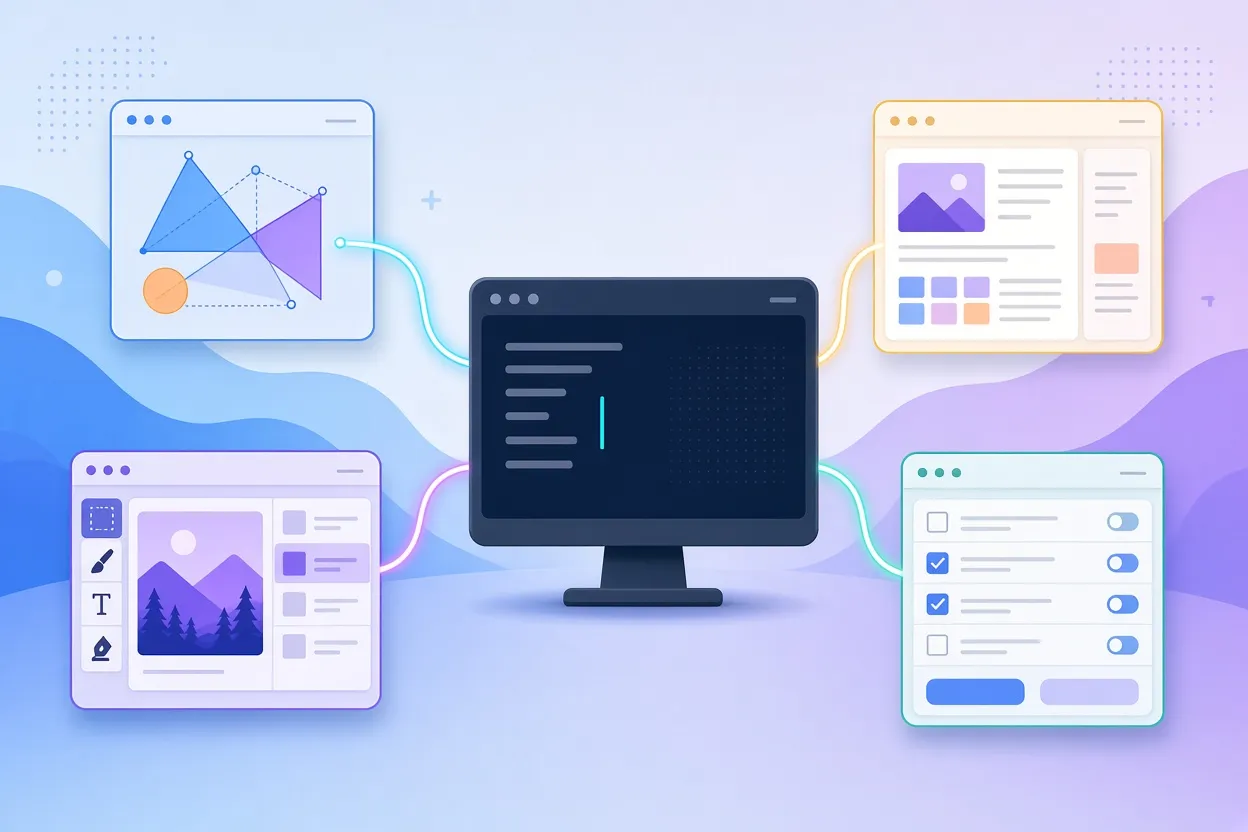
▲ Claude Code driving four ArtCraft apps through MCP
From a brand folder to finished files
With the four apps installed, Claude Code connects to each of them through their local MCP interfaces. It then detects a brand identity folder in the workspace and pulls the guidelines from it, including two hex color codes: navy #0F172A and primary blue #2563EB.
The task is a set of cohesive marketing deliverables for a free live AI workshop. Claude Code moves through the apps in sequence:
- In VectorCraft, it draws a scalable balance-scale logo and exports both the SVG source and a rendered graphic.
- In PhotoCraft, it builds a full promotional thumbnail that places the new logo alongside typography in the brand colors.
- In PdfCraft, it assembles a two-page interactive registration handout with clickable form buttons, checkmark boxes, and a scheduled agenda.
Opening the output folder in Windows File Explorer shows the vector logo, the thumbnail loaded in PhotoCraft, and a fillable registration form in PdfCraft. Every asset uses the same two colors and the same emblem, because the agent read the brand folder once and reused it across three different applications.
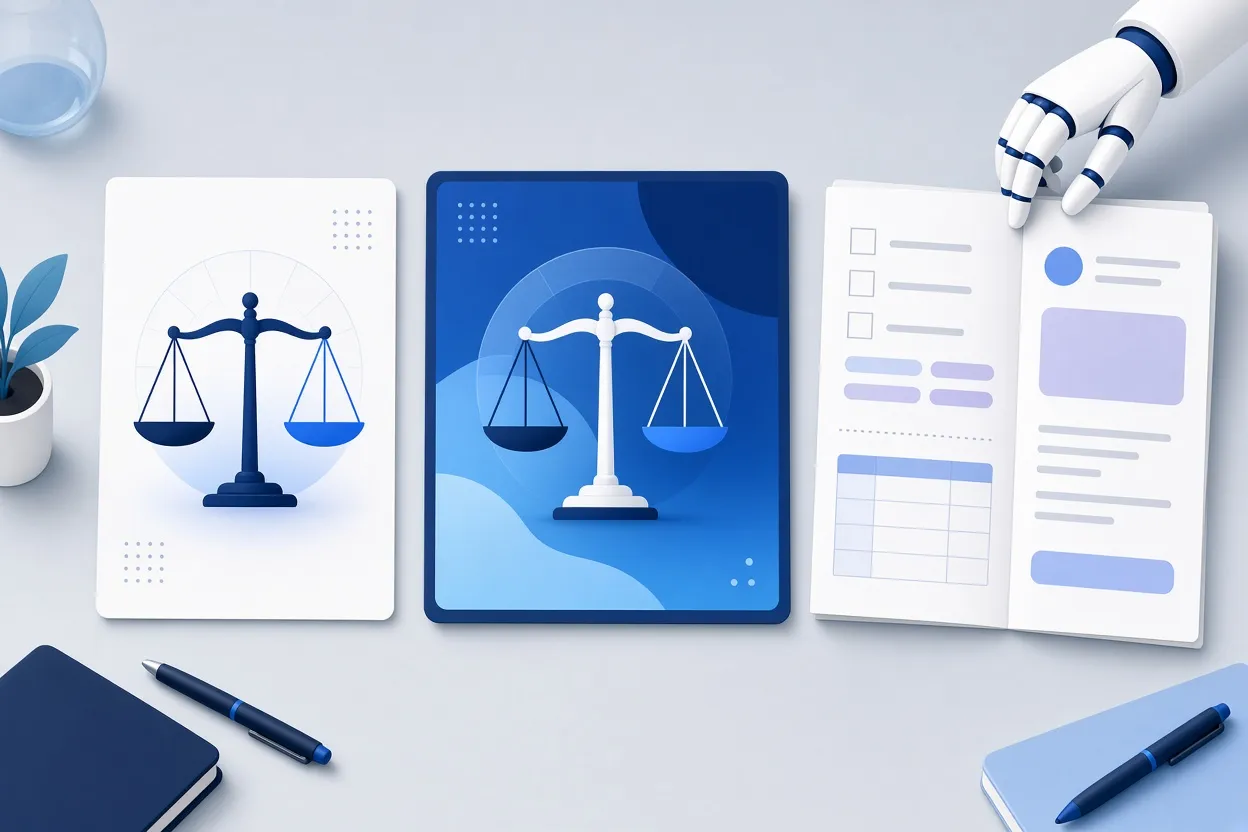
▲ Logo, thumbnail and PDF handout generated by the agent
This is the part that matters most for non-developers. The user never opened a pen tool, a layers panel, or a form-field editor. The instructions were plain English, and the agent translated them into calls to PdfCraft's tools and their equivalents in the other apps. Letting the agent operate the software, rather than learning each interface by hand, appears to hold up well for routine marketing assets.
What this means in practice
The combination on display, free open-source editors plus an agent that can drive them, changes the economics of a small creative stack. The software cost drops from $839.88 a year to $0, and the user keeps full ownership of the files and the code. The ArtCraft credit plans are optional and only matter if you want cloud image or video generation inside the apps.
There are limits worth stating plainly. The apps are alpha software, and the roadmap itself says thousands of hours of work remain before PhotoCraft matches commercial tools. Professionals who depend on specific Photoshop or InDesign features should treat ArtCraft as something to test in parallel, not a switch to flip. The setup described here is also Windows-only in practice; the launcher download is for 64-bit Windows, and the MCP configuration points at .exe files.
Key points and next steps
- ArtCraft offers 12 free, open-source, Rust-based creative apps on GitHub under Apache 2.0 and MIT licenses.
- The apps expose their tools through MCP, so Claude Code can operate them from plain-English prompts.
- Paid ArtCraft tiers, $8 to $48 a month billed annually, cover cloud generation credits only; the desktop apps cost nothing.
- Adobe Creative Cloud Pro costs $839.88 a year per user, and Adobe paid a $150 million settlement in March 2026 over hidden cancellation fees.
If you want to try the same workflow, start with a short audit of which Adobe apps you actually use, then install only the ArtCraft equivalents through the launcher. Create a .mcp.json in the folder where you run Claude Code, pointing each entry at the app's CLI executable and your project root. Put your brand guidelines and hex codes in a folder the agent can read, and give it one concrete job, such as a logo plus a one-page handout, to see how the output holds up. Verify the installer signatures from Learning Machines Inc. before running anything. Keep your existing subscription active until the alpha-stage tools prove they can handle your real work, and cancel only once you have confirmed the replacement covers it.