Google DeepMind’s Gemma 4 can now answer a detailed request inside an ordinary web browser, with no server call at all. Because the model runs on the user’s own device, no data leaves the machine, and there is no API fee or network round trip to wait on. Gemma 4 ships under the permissive Apache 2.0 license in five sizes, from a 2B model small enough for a phone to a 31B model that fits on a single GPU. For developers, that makes local inference a practical design choice rather than an experiment.
A research lab that ships every week
Google DeepMind describes its mission as building AI responsibly to benefit humanity. That mission covers scientific work such as AlphaFold, the protein structure prediction system, and Med-Gemma, an open model aimed at healthcare and biology, along with research in mathematics and robotics. Alongside that research, Google keeps a fast shipping cadence, with weekly updates across frontier models, open models and platform APIs.
Recent developer releases include:
- Computer Use API: an API for computer use, where an AI model operates a computer directly
- Managed Agents: a feature that takes high-level instructions in natural language and hands them to a fleet of autonomous agents, AI systems that plan and carry out tasks on their own, running in sandboxed Linux workstations
- Speech-to-Speech translation API: an API that turns speech in one language into speech in another
Hosted Gemini models sit at the frontier end of this lineup. Gemma 4 covers the other end: models that developers download and run themselves.
Five sizes, one permissive license
Gemma 4 is an open-weights model family, meaning Google publishes the trained parameters so anyone can download them. The Apache 2.0 license allows commercial use, modification and fine-tuning, which is the process of further training a model for a specific task, without licensing fees.
| Model | Architecture | Where it fits |
|---|---|---|
| 2B (E2B) | Small | Phones and browsers |
| 4B (E4B) | Small | Phones and laptops |
| 12B | Mid-size | Standard developer laptops |
| 26B (26B-A4B) | Mixture-of-experts | A single GPU |
| 31B | Dense | A single GPU |
A mixture-of-experts model routes each request through only a subset of specialized sub-networks, while a dense model uses all of its parameters every time. Models at 12B and below run on a typical developer laptop, and the 2B model runs on phones that have dedicated AI hardware. Lighter variants can also run on small edge boards such as the Jetson Nano.
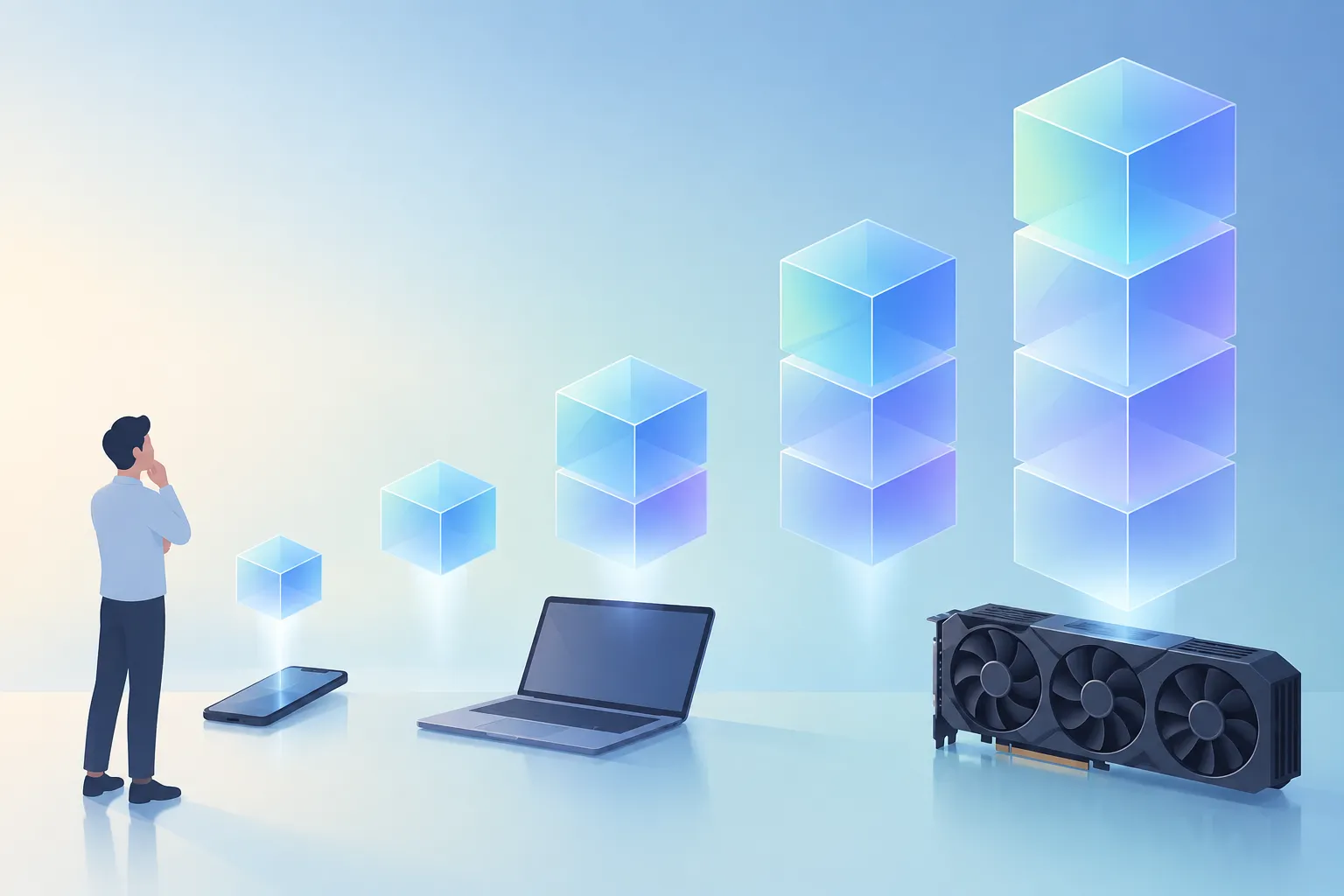
▲ Gemma 4 sizes matched to hardware
Inference that never leaves the browser
The smallest Gemma 4 model can run entirely client-side in a web browser. The setup uses Transformers.js together with WebAssembly, a technology that lets browsers run fast compiled code, inside a fully sandboxed environment. Custom GPU kernels optimized with Fable 5 handle the heavy computation. Those early generated kernels did need tuning and rewriting before they were ready for wider distribution.
To test it, the model was asked to build an emoji-annotated table comparing every Harry Potter book by humor and excitement, with reading recommendations It immediately returned a structured Markdown table with columns for how funny and how exciting each book is, its overall vibe and a recommendation. Not everyone will agree with the rankings, but the point is that a multi-part request turned into a well-organized answer without touching a server.
The browser run produced these measurements:
| Metric | Result |
|---|---|
| Time to first token | 0.25 seconds |
| Prefill speed | 85.71 tokens per second |
| Decode speed | 20.72 tokens per second |
A token is the small unit of text a model reads and writes. Prefill is the step where the model reads the prompt, and decode is the step where it writes the answer. Since all of this happens on the device, user data never leaves the browser. That appears especially useful for apps that handle personal information or that need to keep server costs down.
On-device AI in Google AI Edge Gallery
Google AI Edge Gallery is an app for Android, iOS and macOS that lets people try AI models offline, directly on their devices. Its features include:
- Ask Image: describes and answers questions about pictures
- Audio Scribe: transcribes and translates speech offline in more than 140 languages
- On-device function calling: lets the model trigger app actions, extract structured information and add events straight to the local calendar
- Mini-apps: small examples such as the Tiny Garden game, Haiku Card, a weather query tool and a 2048 game
On phones with neural processing units and GPUs, such as the Google Pixel 10, Gemma models run smoothly without draining the CPU. Lower-end phones that lack those accelerators may see weaker performance when the work falls back to the CPU.

▲ Offline on-device AI
Small models with large-model scores
On an Elo chart that plots performance against parameter count, the Gemma 4 26B and 31B thinking models score roughly 1440 to 1460. Elo here is a relative rating of how models fare against one another. Those scores beat rival models with about ten times as many parameters. A smaller model also avoids the need for distributed inference across many machines, which cuts infrastructure costs.
Quantization-Aware Training, or QAT, shrinks memory use further. Quantization stores a model’s numbers at lower precision, and QAT trains the model with that lower precision in mind so it keeps more of its ability. Gemma 4 memory needs by format:
| Model | BF16, 16-bit | Q4_0, 4-bit | Mobile | Mobile text-only |
|---|---|---|---|---|
| 2B | 11.4 GB | 2.9 GB | 1.1 GB | 0.84 GB |
| 4B | 17.9 GB | 4.5 GB | 2.5 GB | 2.2 GB |
| 12B | 26.7 GB | 6.7 GB | - | - |
| 26B | 57.7 GB | 14.4 GB | - | - |
| 31B | 69.9 GB | 17.5 GB | - | - |
The 2B model drops from 11.4 GB at 16-bit precision to 0.84 GB in the mobile text-only format, so a language model can run on a phone with less than 1 GB of memory.
What to do if you are weighing local inference
Gemma 4 lets developers move some work that used to go to cloud APIs onto browsers and phones. Data stays on the device, there are no per-call fees or network delays, and the license leaves room for commercial products. A practical path looks like this:
- Try the models in Google AI Edge Gallery on the devices you plan to support before building a custom app.
- Pick a model size that fits the device’s memory, and use QAT checkpoints when memory is tight.
- For web apps, prototype in-browser inference with Transformers.js and WebAssembly.
- If the model needs to fit your domain, fine-tune it under the Apache 2.0 license.
Because performance can drop on phones without dedicated accelerators, check what hardware your users actually have. Keeping a cloud API as a backup for weaker devices may be the safer setup.