Local AI hardware determines two different things: how large a model you can load and how quickly it responds. An inexpensive NVIDIA RTX 3060 can run an 8-billion-parameter model at 40 to 50 tokens per second, while more expensive systems can fit substantially larger models. The right budget depends on whether you need quick answers from a smaller model, stronger performance on complex tasks, or the ability to keep a very large model on your own machine.
Memory sets the ceiling; bandwidth sets the pace
A local AI model consists of stored numerical weights. An inference runtime—the software that loads those weights and generates a response—performs the calculations on your device. In a fully local setup, both the model and the software using it can work offline. A local-looking application is not necessarily fully local: Cursor or Claude Code, for example, can run on a computer while sending prompts and project context to cloud models.
Before choosing hardware, check its fast memory: VRAM, or graphics-card memory, on a dedicated GPU; or unified memory, the shared memory available to an Apple Silicon Mac. The model must fit comfortably in that memory. Capacity therefore limits model size. Memory bandwidth, the rate at which the system moves data from memory, largely determines generation speed. A token is a small piece of text produced by the model, so tokens per second is a useful measure of response speed.

▲ Memory capacity versus bandwidth
Those limits can favor different machines. An NVIDIA RTX 4090 has 24GB of VRAM and memory bandwidth above 1 terabyte per second. Some Apple Silicon configurations offer 64GB or 128GB of unified memory, allowing larger models to fit, but standard configurations provide roughly 20% to 30% of the bandwidth of top dedicated GPUs. More capacity does not automatically mean faster text generation.
Choose a model that fits the machine
Model names provide a compact guide to hardware needs. In Qwen 3.8 27B Q4, Qwen identifies the model family, 3.8 identifies the release, and 27B means 27 billion parameters, or stored weight values. Q4 means 4-bit quantization: it stores weights at lower precision to reduce the file and memory footprint. Q4 compression shrinks a model to roughly one-quarter of its uncompressed size, with little loss in output quality.
A small model such as Qwen 3.5 4B takes about 1GB to 2GB of storage and is an accessible starting point. For a more capable local setup, the practical target is generally 8B to 35B parameters. Larger parameter counts usually demand more memory and computing power, even when quantized.
Mixture of Experts, or MoE, is another model design to recognize. It keeps the complete set of specialized model weights in memory but uses only a fraction to calculate each token. That can make generation faster than the total parameter count suggests; it does not remove the need to fit the full model in memory. Qwen 3.5 122B MoE is an example aimed at hardware with far more capacity than an entry-level PC.
Three spending tiers and their likely results
The prices below describe the listed hardware, not a guaranteed cost for a complete PC build. They are also moving targets amid the 2026 RAM shortage. The memory specification and the model it can run matter more than a fixed price quote.
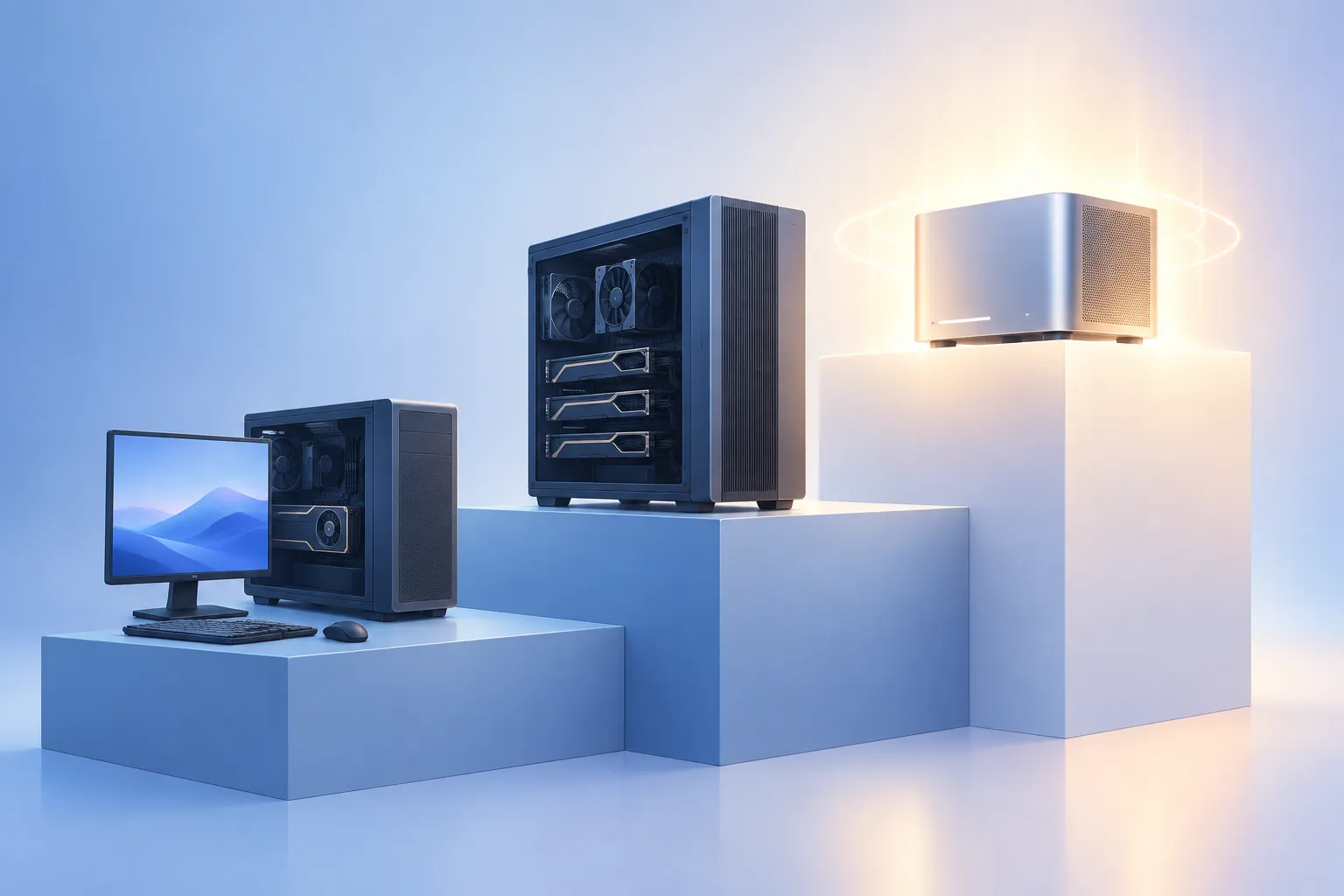
▲ Three local AI hardware tiers
The only specific speed figures here come from an 8B model on an RTX 3060 and larger-model runs on an NVIDIA DGX Spark. The middle tier is described as responsive, but no tokens-per-second figure is given for it, so its speed should not be inferred from the other tiers.
| Tier | Hardware and stated price | Memory and practical result |
|---|---|---|
| Budget | NVIDIA RTX 3060: about $300–$400 used, or $339 stated MSRP for a newly produced card. Base Apple Mac mini: about $799–$800. | The RTX 3060 has 12GB of VRAM and runs a Q4 8B model at about 40–50 tokens per second. The Mac mini runs an 8B model at somewhat lower speed, with no specific figure stated. |
| Middle | NVIDIA RTX 3090: about $800–$1,000 for the card. Mac mini with M4 Pro: about $1,800. | The RTX 3090 has 24GB of VRAM; the Mac mini configuration has 48GB of unified memory. Both can run a Q4 27B model with usable responsiveness. |
| High-end | AMD Strix Halo Mini PC: about $2,500. Mac Studio with M5 Max and 128GB: about $2,499. NVIDIA DGX Spark: about $5,000. Mac Studio with M5 Ultra: about $5,499. | The target is roughly 128GB of fast memory for models around 120B parameters. In a DGX Spark test, a 120B model generated about 40 tokens per second; 35B–70B models reached 60–90 tokens per second. |
The budget tier suits private drafting, summarization, and document review. It is not presented as sufficient for complex, multi-step coding agents. The middle tier is the more practical threshold for running a 27B model for demanding developer work, including local coding agents. Its two options make the capacity-versus-speed trade-off concrete: the Mac mini offers more memory, while the dedicated GPU favors bandwidth.
At the high end, the 128GB goal makes much larger models possible, but the DGX Spark figures show why model size still matters for speed: its smaller 35B–70B runs produced more tokens per second than its 120B run. The M5 Ultra Mac Studio is described as providing four times the memory bandwidth of standard Mac configurations, addressing part of the usual unified-memory speed limitation. That specification is not a measured token-speed result.
Decide whether the trade-off is worth it
To get started, first check your exact VRAM or unified-memory capacity. Then select a model that fits comfortably, using a Q4 version if you need a smaller footprint on consumer hardware. Ollama provides command-line model management, Docker Model Runner serves containerized workloads, and LM Studio provides a graphical interface. These runtimes can also expose local models to other applications. To verify that your chosen arrangement is fully local, disconnect Wi-Fi and check whether it still works.
Local execution keeps prompts on the device in a fully offline setup and avoids a recurring model subscription, but capable hardware has a substantial upfront cost. For ordinary work that does not require strict local privacy, a $20–$60 monthly cloud subscription may offer better model capability and less setup effort. If privacy requires local inference, start with the task, choose a model size, and buy for both the memory needed to fit it and the bandwidth needed to use it at a comfortable pace.