An AI coding agent can now do more than write software. In a recent hands-on experiment, Anthropic's Claude Code, running in a terminal on a Mac Studio, took control of a roughly $1,700 Fujifilm X-T5 mirrorless camera over a single USB-C cable. Driven by plain-English prompts, the agent read the camera's status, fired the shutter, switched film simulations, researched and wrote a custom film recipe into the camera's memory, corrected its own exposure using computer vision, and batch-rendered RAW files on the camera's internal processor. It also hit a hard wall: when asked to add an effect Fujifilm never built into its menus, a dive into the camera's firmware ended with the conclusion that the image pipeline lives on undocumented hardware that cannot be safely modified. The result is a useful map of what an agent can and cannot do with a physical device today.
Getting an AI agent to talk to a camera
The setup was simple on the surface. The X-T5 connected to the Mac Studio with a standard USB-C cable, and Claude Code ran with the Claude 3.5 Opus model at a medium reasoning setting. On the camera, the connection mode in the Network/USB settings had to be set to USB Tether Shooting Auto.
From there, the agent was asked in natural language to recognize the connected camera, report its configuration, and work out how to control it. It identified the device's vendor ID, noticed that a macOS background photo service was already holding the camera through PTP (Picture Transfer Protocol, the standard that cameras and computers use to exchange images and commands over USB), and installed the open-source gphoto2 command-line camera utility through the Homebrew package manager. After the conflict was cleared and the camera re-detected, the agent read back a full status report:
| Item | Value reported |
|---|---|
| Body | Fujifilm X-T5, firmware 2.03 |
| Lens | Fujinon XF 23mm f/2 R WR |
| Battery | 100% |
| Lifetime shutter actuations | 22,160 |
| Exposure | Manual, 1/60s, f/2.8, ISO 500 |
| Focus | Single AF-S |
| Output | JPEG with the current film simulation |
This step matters more than it looks. The agent did not rely on a special plugin for Fujifilm cameras. It used a generic protocol and an existing open-source tool, and it diagnosed the one obstacle that stood in the way on its own.
Shutter, film simulations, and no dials touched
The first control test asked the agent to switch the camera's film simulation to ASTIA/Soft, take a picture, and save the result to the Mac desktop. It issued the commands, captured the frame, and confirmed that both the RAW file (.RAF) and the processed JPEG had transferred. A shaky first frame was reshot cleanly on request. A second instruction switched the camera to the ACROS black-and-white simulation, and the resulting image showed high-contrast monochrome rendering with deep blacks and visible grain. Every change happened through the terminal; no physical dial was turned.
Researching and writing a custom film recipe
Fujifilm cameras let users build custom "recipes": combinations of film simulation, tone curves, color settings, grain, and white balance shifts that mimic specific film stocks. Entering one by hand means working through many scattered sub-menus, which is widely regarded as tedious.
The agent was asked to spawn sub-agents to research a Kodak Portra 800 emulation, drawing on technical datasheets, popular community-published Portra 800 recipes, and lab scanner characteristics. Its summary described genuine Portra 800 as having warm peach-gold skin tones, saturated but organic colors, lifted shadows, and more pronounced grain than Portra 400. It then produced a recipe it named CLAUTRA 800:
| Setting | Value |
|---|---|
| Base simulation | Classic Chrome |
| Dynamic Range | DR400 |
| Grain | Strong, Large |
| Color Chrome Effect | Weak |
| White balance | 6300K, Red +1, Blue -3 |
| Highlight tone | -1.5 |
| Shadow tone | -0.5 |
| Color | +2 to +3 |
| Sharpness | -2 |
| Noise reduction | -4 |
Writing the recipe to the camera required a different connection mode: USB RAW Conv/Backup Restore. In that mode the agent first backed up the existing custom slots C1 through C7 and then wrote CLAUTRA 800 into slot C1 in the camera's internal memory.
A self-correcting exposure loop
With the camera back in tether mode and placed on a desk, the agent was asked to take a self-portrait using the new recipe. To frame the shot hands-free, it ran a custom Python script that used facial detection on the live preview feed and started a shutter countdown once the face was stable in frame. The camera's ISO dial was set to C and the shutter speed dial to T, which hands those exposure controls to software.
The interesting part came after the first frame. Using its multimodal image analysis, the agent measured the median brightness of the face at 113 on a 0-to-255 scale, well below the roughly 170 it had set as a target for Portra-style skin tones, and flagged the frame as underexposed. It raised sensitivity from ISO 800 to ISO 1250 and reshot. Analysis of the second frame reported skin luminance on target with only 0.06% of the frame clipped in the highlights, despite a strong softbox light. One caveat: to the eye, the bright side of the cheek still looked somewhat blown out, so a numerical pass does not fully replace a human look at the picture.
Re-rendering RAW files without the official desktop app
Fujifilm's FUJIFILM X RAW STUDIO desktop application lets users re-process RAW files by sending them to the camera's own processor over USB. Many photographers find the app slow and awkward. The experiment set out to get the same hardware rendering without opening it.
An early lesson surfaced quickly: the camera's internal conversion only accepts native Fujifilm RAW files. It cannot process Sony ARW files or JPEGs. So a fresh set of street photographs was shot on the X-T5, and the camera was reconnected.
The agent inspected the SD card folder 132_FUJI, found 48 RAW files with matching JPEGs, and singled out the 37 from the latest outing. Because of transfer limits over PTP, it copied them to the local drive one at a time. To drive the conversion, it found and cloned fujicli, an open-source tool from an independent developer that speaks Fujifilm's USB protocol, and built it locally. With the camera switched to USB RAW Conv/Backup Restore mode, the first CLAUTRA 800 render came off the camera's X-Processor 5 in 2.7 seconds, and the remaining 36 images were queued behind it. The agent then compiled a multi-page PDF contact sheet comparing each flat RAW with its rendered version.
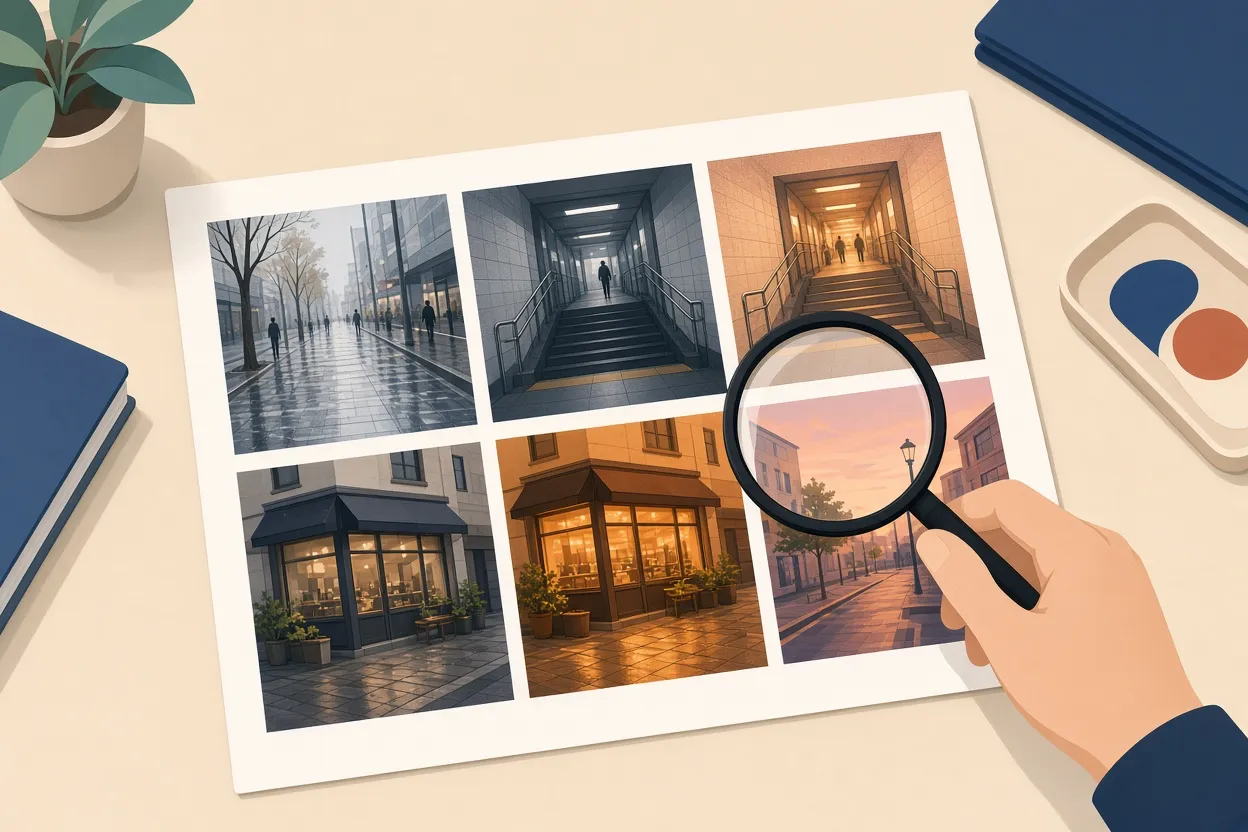
▲ RAW frames beside custom Portra-style renders
The comparison showed warmer tones, extended dynamic range, and a color treatment reminiscent of Portra 800 across sidewalks, reflections, and city views. A neon-lit sandwich shop sign served as a check on highlight roll-off and color shift.
Chasing CineStill 800T and hitting the firmware wall
The next target was harder. CineStill 800T is Kodak Vision3 500T cinema film repackaged with its remjet anti-halation backing removed. Without that layer, bright light sources pick up a red halo and high-contrast highlights bloom softly, the look familiar from nighttime gas-station photographs. Neither halation nor bloom exists as an option anywhere in Fujifilm's menus. To get the effect entirely in-camera, the experiment turned to the firmware itself.
This is where the risk climbs sharply, since a bad firmware write can permanently brick the camera. A separate research agent had earlier produced a safety document, backup checklist, and methodology file. The agent then worked through those steps: backing up all camera settings twice, recording the SHA-256 hash of the official firmware, and making an exact local duplicate of the SD card. It downloaded the official Fujifilm Tether App installer for driver components, then fetched Ghidra 11.0.1, the open-source reverse-engineering suite released by the NSA, to decompile the X-T5 firmware. Asked whether this was legal, it gave an analysis of the DMCA's Section 1201 anti-circumvention rules, pointing to interoperability research exemptions while noting that warranties and license terms would be affected.
The decompilation itself produced real architectural findings. The image-processing code loads at address 0x82be000, and 42% of stored pointers landed exactly on function starts, a sign the analysis was reading the structure correctly. The camera runs two operating systems at once, a real-time OS and an embedded Linux 4.9.92 kernel, on a Socionext design with four ARM cores, with a roughly 20 MB block holding the compressed kernel and binaries.
The decisive discovery was that the actual image pipeline does not run in that accessible code. It runs on a proprietary, dedicated Fujifilm chip that has never been publicly documented, with no exposed registers for anything like halation. The agent's five-step plan to locate and rewrite the relevant code and flash it back was abandoned on its own assessment: without documentation or an emulator to test binary changes safely, the chance of permanently bricking the camera was unacceptable. That restraint is arguably the most reassuring moment of the whole exercise.
One wrinkle followed. When asked to pursue an alternative route, Claude Code paused the session with a safety notice tied to its cyber-safety policies, apparently triggered by the reverse-engineering context. Starting a clean session and describing the non-firmware workflow allowed the project to continue.
The two-stage workaround
The fallback split the job into two steps. Stage 1 used the camera's own processor to set color and grain for a CineStill-style base. Stage 2 ran a Python and OpenCV script on macOS to add the halation and bloom that the hardware cannot produce. The agent ran the full pipeline across all 37 images in 56 seconds and produced a side-by-side contact sheet.
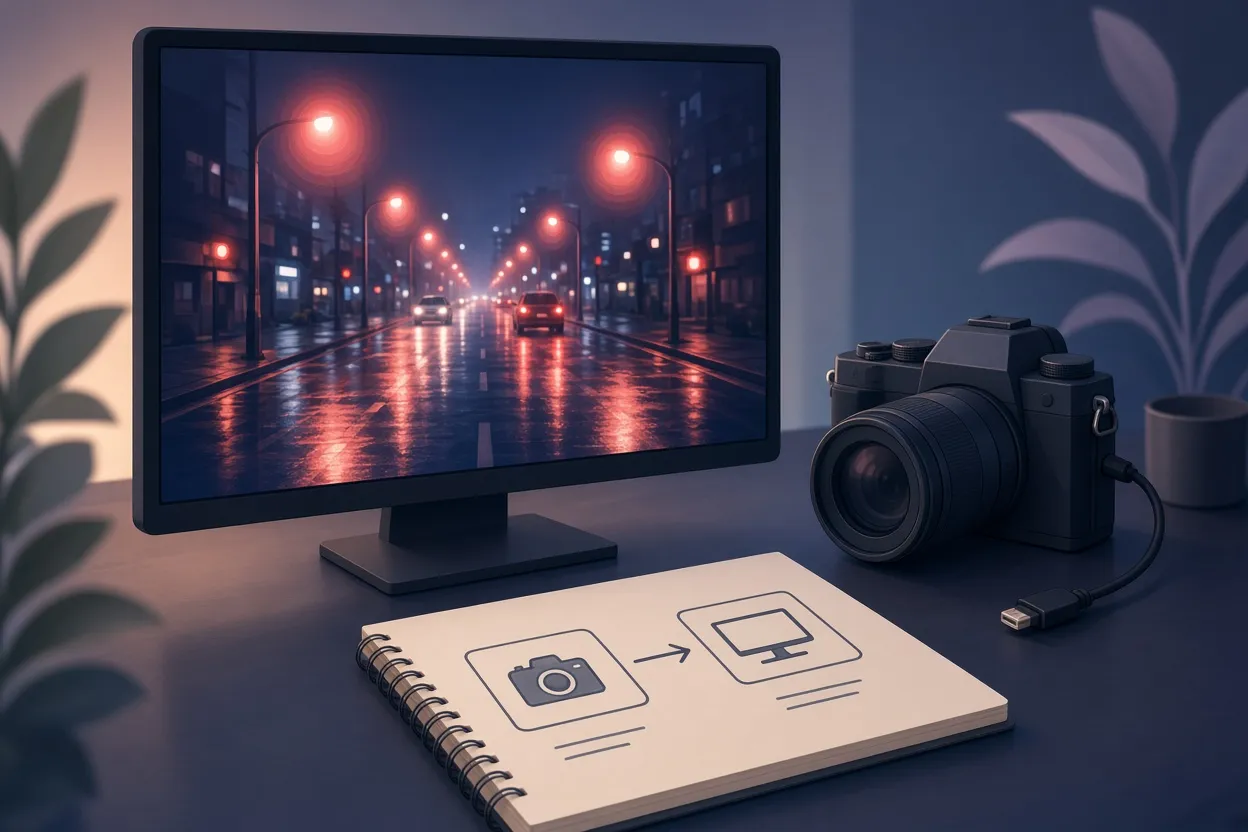
▲ Two-stage CineStill-style halation workflow
The renders showed red glowing halos and white bloom around street lamps, building reflections, and tail lights in puddles, and a shot looking up a concrete stairwell toward a blown-out sky tested highlight bloom. The effect looked convincing around neon and streetlights but somewhat heavy on overcast daylight frames. The upside of the setup is that dialing it back is a one-line request rather than a script edit. A further idea raised by the experiment is a feedback loop in which the agent iteratively tunes recipe parameters against real film scans until they match, though that remains a proposal rather than something tested here.
What this means and what to do
The experiment draws a clear line. Everything that runs through documented interfaces worked: USB tethering, shutter control, film simulation switching, recipe writing to preset slots, numerical exposure evaluation, and hardware RAW rendering through fujicli instead of the official app. Everything that would require changing how the camera's imaging chip behaves did not, and the agent itself judged it too dangerous to attempt. The broader takeaway is that an AI agent can act as a bridge between a physical device and a software pipeline, as long as the device offers a protocol to speak through.
For photographers who want to try something similar, a few practical points stand out from the process:
- Set the camera's connection mode deliberately: USB Tether Shooting Auto for shooting control, USB RAW Conv/Backup Restore for writing recipes and converting RAW files.
- If gphoto2 cannot see the camera on a Mac, a background PTP service may be holding it.
- Set the ISO dial to C and the shutter dial to T if you want software to control exposure.
- Have the agent back up every custom slot before it writes a new recipe, and keep a full settings backup and SD card copy before any low-level work.
- Treat firmware modification as a serious bricking risk, do your own safety research for your specific model rather than reusing someone else's notes, and proceed only at your own risk.
- When a physical film trait cannot be reproduced in-camera, a hybrid of in-camera rendering plus a scripted post-process is a safe and workable substitute.