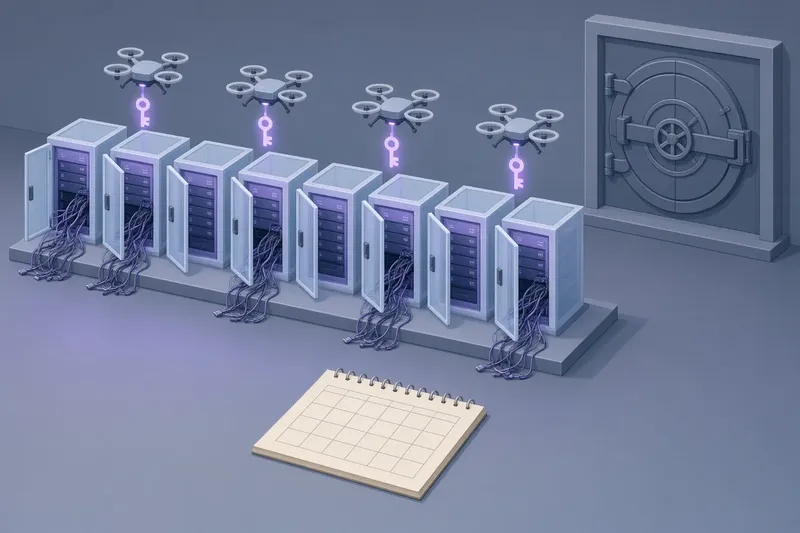
For roughly 12 hours on October 29, 2026, the Claude Code extension listing in the Cursor IDE marketplace served a tampered build that quietly opened a remote door into developers' machines. Cursor has acknowledged the incident and says at most 5,000 users who installed or updated the extension during that window were affected. The tampered builds targeted both Windows and macOS. The malicious code was small, well disguised, and shipped under Anthropic's legitimate publisher identity, which is exactly what made it dangerous: the attack did not ask developers to do anything unusual. It arrived as the kind of routine update most people approve without a second thought.
What happened
Researchers at a security group that tracks malicious open-source packages uncovered the compromise and published an advisory describing a trojanized Claude Code extension. The key facts, as reported by the researchers and by Cursor:
| Detail | Reported value |
|---|---|
| Date | October 29, 2026 |
| Exposure window | About 12 hours |
| Affected users | At most 5,000 (Cursor's figure) |
| Malicious versions | 2.1.312 and 2.1.313 |
| Platforms targeted | Windows and macOS |
| Distribution channel | Cursor marketplace only |
| Size of payload | 66 lines of code |
Cursor stated that a modified Claude Code VS Code extension was the vehicle, and it removed the compromised package from its marketplace. The malicious build never reached Open VSX or Microsoft's official VS Code Marketplace, so developers who use Claude Code through those registries were not exposed by this incident.
The extension was distributed using Anthropic's legitimate publisher extension ID, yet the malware has been confirmed to have no connection to Anthropic's development team. How the attacker managed to publish under that verified identity is the biggest open question. Cursor has not disclosed the exact technical vector.
How the backdoor worked
Static analysis of the extension found that the entire malicious payload fit in 66 lines. On load, the extension executed a standalone function immediately, importing Node.js modules and cryptographic libraries, and then did two things.
First, it created an SSH-based reverse shell. SSH, or Secure Shell, is the standard protocol developers use to log in to remote machines. A reverse shell flips the usual direction: instead of the attacker connecting in, the victim's machine reaches out to the attacker, which tends to slip past firewalls that only block inbound connections.
Second, it injected attacker-controlled public SSH keys into the developer's local authorized_keys file. That file is the list of keys a machine will accept for SSH login without a password. Adding a key there is the equivalent of copying a house key for a stranger. Even if the extension is later removed and the editor restarted, the key stays in place and the attacker keeps access until someone finds and deletes it. The researchers' analysis showed an attacker-controlled ed25519 public key sitting in that file on an affected system.
To avoid attention, the backdoor ran its network activity under the process name svc-telemetry. That name is designed to look like ordinary diagnostic traffic that many tools generate, which makes it easy to overlook in a process list or a network monitor.
This article deliberately stops at the principle level. The important takeaway for defenders is the shape of the attack: a trusted update, an immediately executed payload, a persistent credential planted outside the editor, and a disguised process name.

▲ Compromise limited to one extension marketplace
Why the update notification is the weak point
Extension marketplaces are built on a trust model. A developer sees a familiar name, a verified publisher, and a version bump, and clicks update. The marketplace is expected to guarantee that what arrives matches what the publisher shipped. This incident shows what happens when that guarantee fails at the marketplace layer: the same listing, the same publisher ID, and the same product name delivered something entirely different for half a day.
A few features of this case make it a textbook supply chain attack rather than a simple case of a malicious look-alike package:
- The listing was the official one, not a typosquatted copy with a similar name.
- The publisher identity was Anthropic's real one, so a publisher check alone would have passed.
- The payload ran at load time, so merely having the extension installed was enough.
- The persistence mechanism lived in the operating system's SSH configuration, not in the editor, so uninstalling the extension does not close the door.
AI coding agents raise the stakes further. Tools like Claude Code are installed precisely because they are allowed to read, write, and execute inside a developer's environment. An extension in that category already holds broad permissions, so a compromised build inherits a great deal of reach by default. It appears reasonable to treat AI agent extensions as among the highest-value targets on a developer workstation.
The fact that the compromise was confined to one marketplace also matters. The same extension on Open VSX and on the VS Code Marketplace was clean, which points to the problem sitting in how Cursor's marketplace accepted or served the package rather than in Anthropic's build pipeline. That is an interpretation from the reported scope, not a confirmed root cause; Cursor has not said how the rogue versions got in.

▲ Attacker SSH key planted in authorized keys
What developers should check now
If you installed or updated the Claude Code extension inside Cursor around October 29, 2026, the first step is to look at your SSH authorized_keys file, located in the .ssh folder of your home directory. Every key listed there should be one you recognize and can explain. An unfamiliar entry, especially an ed25519 key you did not add, is the signature of this attack. Removing an unknown key closes that particular door, but given that the payload also opened a reverse shell, it may be prudent to treat an affected machine as compromised and follow your organization's incident process rather than assume key removal is enough.
Beyond this specific incident, the case suggests a short checklist for installing or updating any AI coding agent extension:
- Confirm you are getting the extension from the registry you intend to use. In this case, Open VSX and the VS Code Marketplace served clean builds while Cursor's marketplace did not.
- Verify extension integrity and publisher signatures directly rather than relying on the name and publisher label shown in the marketplace. A matching name proved to be no protection here.
- Note the version number before and after an update. Versions 2.1.312 and 2.1.313 were the malicious builds in this case; knowing which version you run makes advisories actionable.
- Keep an eye on processes and network connections that appear after an update. A process calling itself svc-telemetry is the kind of generic name worth questioning.
- Periodically audit the authorized_keys file on development machines, since that is where this attack planted its persistent access, outside the editor's reach.
None of these steps would be necessary if marketplaces always delivered what publishers shipped. Until that is reliably true, the burden of verification falls partly on the developer.
The bottom line
A tampered Claude Code extension on the Cursor marketplace planted SSH backdoors on up to 5,000 developer machines in about 12 hours, using Anthropic's real publisher identity without any involvement from Anthropic. The payload was only 66 lines long, ran as soon as the extension loaded, and left behind attacker keys that survive uninstalling the extension. Cursor removed the package but has not explained how it was published.
For developers, the practical response is concrete: check your SSH authorized_keys file if you used Claude Code in Cursor that day, remove anything you do not recognize, and consider the machine compromised if you find something. Going forward, treat update prompts for AI coding agent extensions with the same care you would give to any software that can run commands on your machine, verify where the package comes from and who signed it, and do not let a familiar name stand in for actual verification.