One way to run AI agents (AI programs that carry out multistep tasks on their own) is to stop treating them as terminal tools and give them seats in the company’s Slack workspace, as if they were staff. In this setup, five agents, each with a human name, a profile picture and a title (CEO, product, developer, marketing and sales), pick up tasks in Slack threads, write specs and code, review pull requests and leave feedback on one another’s work. People hand out assignments from a web dashboard and check the results in Slack. Two things appear to make it work: onboarding each agent the way you would onboard a new employee, and putting a server you own between Slack and the AI model.
Why a chat workspace beats a terminal
Running agents only through a command-line tool such as Claude Code works, but it can feel detached. Work feels disorganized, there is no visual overview of how the company is progressing, and it does not feel like running an organized business. Moving agents into a team chat app such as Slack or Discord mirrors how a real company operates: members coordinate in channels, report results and pass work along.
A typical handoff looks like this. The product agent writes a specification for a watchlist app that pulls BTC, ETH and SOL prices from the Binance REST API. The developer agent builds it and opens a pull request, a proposed code change submitted for review. Meanwhile, the CEO agent reviews the past month’s team brief and checks activity logs with the leader and product agents.
Human names, avatars and job titles are more than decoration. When several agents talk in the same thread, they make it easy to tell who owns what. The same structure also works for one person: a private workspace with channels for personal finances, vibe coding (building software by describing what you want to an AI), research, health, workflows and content can act as a second brain.
Taken further, this approach suggests that future companies may need fewer people and a small, well-chosen roster of specialized agents instead. In practice, though, the setup runs as a hybrid, with people and agents working side by side.
Onboard agents the way you onboard people
Drop an agent into a business with no structure or instructions and it is likely to fail, much as an untrained new hire would. Each agent needs what a person gets on day one: company context, a clear mission and an explicit job description.
- Company context. Talk through your business model, goals and operating rules with Claude in a voice conversation, then save the transcript as a context document. It is a fast way to produce one.
- Job description. Define each agent’s responsibilities, the boundaries it should not cross and the deliverables it owes.
- Skills. Turn repeatable procedures into skills, instruction files that tell an agent exactly how to carry out a task.
- Memory. Tell agents what they did well and where they went wrong, and store that feedback so they check it before the next run.
All of this lives in folders and Markdown files on your computer. A typical layout looks like this:
| Item | What it holds |
|---|---|
| context folder | Business model, goals and operating rules |
| One folder per agent, such as developer, leader, research, task-creator and tester | That agent’s workspace and its SKILL.md |
| skills and memory folders | Reusable skills and stored lessons |
| ROLES.md | Every agent’s identity, responsibilities, rules for querying other agents and reporting lines |
| SKILL.md | The procedure an agent follows for its assigned work |
| MEMORY.md | Feedback, corrections and past mistakes |
You can build skills inside Claude with the Skill Creator, or record your screen while doing a task by hand and narrating each step. Claude’s skill recorder captures the clicks, typing and voice explanation and turns them into a repeatable skill. Recording yourself building a slide presentation with Framer Motion and React, for example, can produce a skill named presentation-app.
Feedback is an ongoing job, not a one-time setup. Like people, agents improve through training and correction, and MEMORY.md carries those lessons across separate runs so an agent does not repeat the same mistake.

▲ Onboarding AI agents like new employees
The seven-step build
Wiring the team into Slack takes seven steps. It means writing backend code, but Claude Code can save a lot of time here, especially if you have little backend experience.
| Step | What to do | Watch out for |
|---|---|---|
| 1. Create the app | On Slack’s developer site, click Create New App, name the agent and pick the workspace | A name people will recognize |
| 2. Set permissions and events | Add bot token scopes under OAuth & Permissions, turn on Event Subscriptions, install to the workspace | Keep the bot token private |
| 3. Stand up a server | Build an HTTPS server in Node.js, Python or Go to receive Slack’s requests | Verify requests with the signing secret |
| 4. Connect a model | Get an API key from Anthropic or OpenAI and connect it to the server | Store keys in environment variables, never in code |
| 5. Send replies back | Route the model’s answer to the original thread or a chosen channel | Let the server manage state and context |
| 6. Deploy and test | Deploy to a platform such as Vercel, get a public URL, then mention the bot in a channel | Enter environment variables in the deployment settings |
| 7. Maintain | When an agent fails, give the error log to Claude Code to diagnose and fix | Revisit which model each role uses |
For step 2, enable at least these bot token scopes: app_mentions:read, assistant:write, channels:history, chat:write, groups:history and im:history. Event Subscriptions let the server listen for message events, so the bot wakes up when someone addresses it. Installing the app generates a Bot User OAuth Token that starts with xoxb-. Treat it like an employee’s ID badge: if it leaks, it is as if someone stole that badge.
The server in step 3 receives Slack’s webhooks, automatic notifications sent to a web address when something happens, and passes them to the model logic. You can start from an agent template in the Slack CLI, and you confirm that each request really came from Slack with the signing secret, a secret value Slack issues for that check. In step 4, OpenAI’s GPT models will work, but this setup favors Claude for agent work. Keep API keys out of public repositories and client-side scripts, and store them in the server’s environment variables.
Step 7 matters because agents sometimes lose context, ignore their guidelines or hit unexpected runtime errors. Paste the error log into Claude Code and let it find and fix the problem. In one case, a research agent’s tool output overflowed the context window, the amount of text a model can handle at once, and produced an “Autocompact is thrashing” error. Claude Code read the research agent’s code and diagnosed the cause. As long as it gets the logs, Claude Code can likely fix most of the technical errors agents run into.
Why custom code instead of no-code tools
No-code tools, which let you build automations by connecting visual blocks, tend to be brittle. They also run into ceilings when several agents need to talk to each other and the roster keeps growing. A custom backend can keep expanding without hitting those limits.
Avoid sending raw Slack events straight to a model provider, too. With your own server in the middle, you keep control of state, context and custom memory, you own the underlying infrastructure, and you can plug in a different AI provider whenever you want.
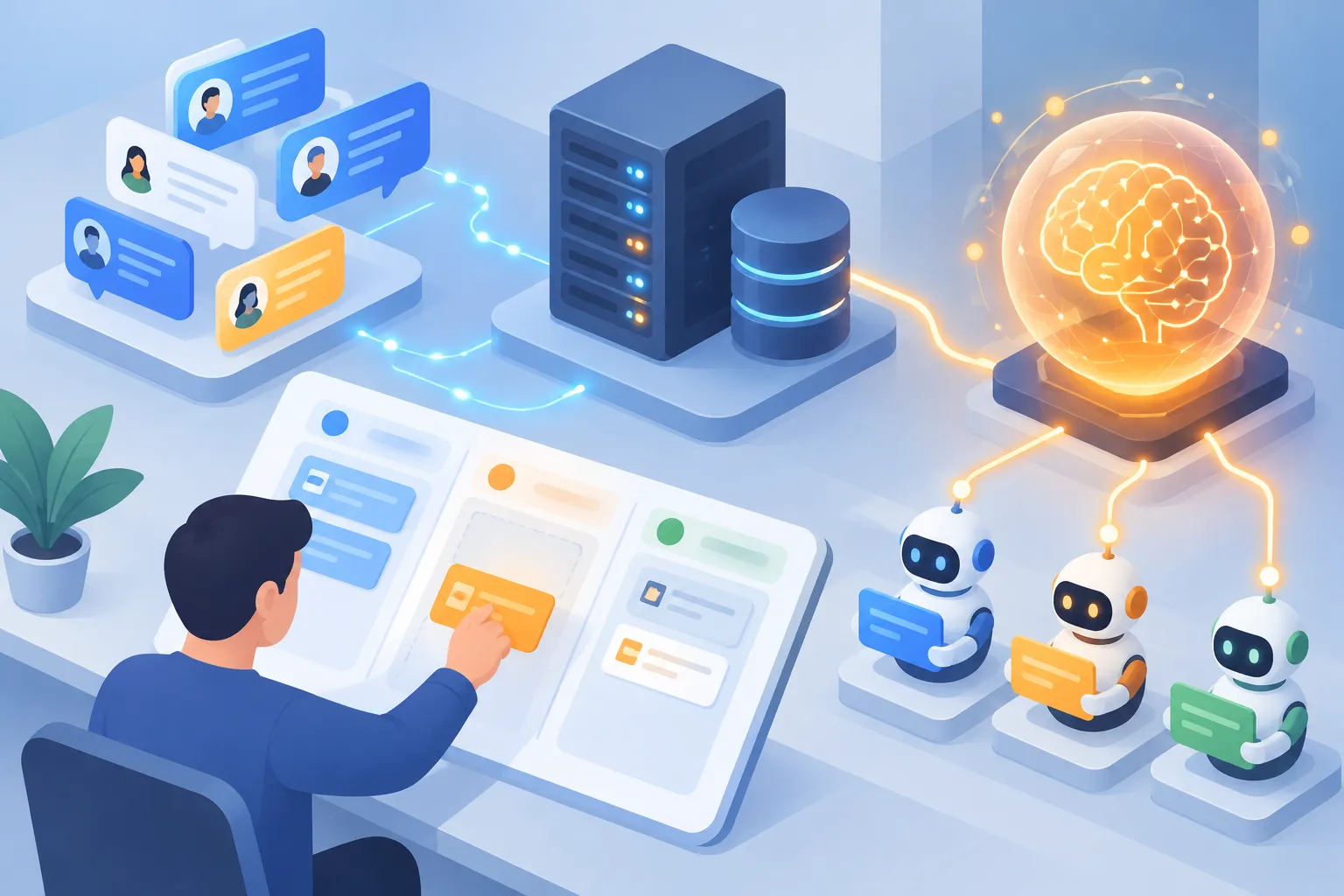
▲ Slack, an owned server and the AI model
Match the model to the role
Not every agent needs the most powerful model. Running simple, repetitive work on a top reasoning model burns through your API token budget fast. Tokens are the units of text that AI providers bill by. Put strong models where judgment matters and lighter ones where the volume is high and the work is simple.
| Role | Example models | Typical work |
|---|---|---|
| CEO agent | Fable 5.1 | Strategy, executive decisions and coding help |
| Product, developer, marketing and sales agents | Claude Opus 5.5, Claude Sonnet 5.5, Claude Haiku 5.5 | Assigned by role |
| Repetitive grunt work | Claude Sonnet 5.5, Claude Haiku 5.5 | High-volume, low-complexity tasks |
This setup treats Fable 5.1 as the smartest option for strategic reasoning, executive roles and coding. OpenAI’s GPT-5.6 Sol can fill the same seat for coding and for coordinating other agents.
Scaling up with a database and a dashboard
Files in local folders are fine for memory while you experiment alone. Once a whole team depends on the agents, move that memory into a cloud-hosted relational database such as PostgreSQL, which keeps agent profiles, memory logs and past context available across sessions. The tradeoff is that a database is a bit harder to browse and maintain than a folder.
A web dashboard on top of the server lets colleagues who do not code assign work. Creating a task means filling in the expected deliverable, the skill it requires, the agent who owns it, priority and deadline, and the Slack channel where results should appear.
For example, the marketing agent could receive a task with its launch copywriting skill attached: write three launch hooks for the dark mode feature, find the three best recent dark mode launch posts on X for ideas, and post the hooks for review. Once a task goes out, the agents work on it according to their roles and coordinate in Slack threads.
The dashboard also tracks how the team is doing: agents online, completed and failed tasks, success rate, handoffs between agents, output per agent and a daily task chart covering 14 days. A sample dashboard shows 69 tasks completed and 4 failed over seven days, but those figures come from demo data cleaned up to protect internal information, so they are not real performance numbers.
People set direction, agents do the grunt work
The company running this setup has 30 human employees, and they share one Slack workspace with the agents. People supply taste, creative judgment and editorial feedback. Agents take the low-leverage work, such as web scraping and repetitive drafting. Staff can talk to an agent directly in Slack or send it a task through the dashboard.
A few habits make the arrangement work:
- Treat agents like staff. Give them real tasks and specific feedback; that feedback updates their memory files, and their work improves over time.
- Do not expect flawless work on day one. Results improve through repeated, human-led feedback.
- Map your workflows before you write agent code. A visual mind map shows which skills each step needs and where work changes hands.
- Start with only a few Slack bot agents, refine the workflow, then grow the team.
Key takeaways and where to start
An agent team in Slack seems to succeed or fail less on the wiring than on how the agents are managed: the context, roles and memory you give them. Your own server protects context and keeps you free to change models, and matching models to roles keeps costs down. To get started:
- Sketch one recurring workflow and mark the steps an agent could take over, along with the skills each step needs.
- Pick a few agents and give each a name, a title and a job description.
- Write a company context document, ROLES.md, a SKILL.md for each role and a MEMORY.md.
- Connect Slack to your server in the seven steps above, keeping the bot token and API keys in environment variables.
- Put strategy and coding on a top model and repetitive work on Claude Haiku 5.5 or Claude Sonnet 5.5.
- Record feedback in MEMORY.md after every result, and add agents only once the workflow is stable.