A teleprompter app for iPhone has cleared Apple’s review and gone live on the App Store, and the whole app was built with Claude Code, Anthropic’s command-line AI coding tool. Interface design, builds, testing, image assets and the App Store submission were all handled through the tool. None of it came from a single magic prompt, though. The app took 215 prompts and 120 commits, built one piece at a time and checked on a real phone after each change. The lesson that stands out is less about how fast an AI can write code and more about the feedback loop around it: test on actual hardware, and when a bug resists, collect data instead of asking for more guesses.
What the app does
The product is a teleprompter, a tool that lets a speaker read a script while looking into the camera. It grew out of frustration with existing teleprompter apps, which tended to have cluttered interfaces, tiny controls, or text placed so far from the lens that natural eye contact was hard to keep. The answer was to put the reading line right next to the front camera cutout, so people watching the finished recording feel that the speaker is looking straight at them.
Its main features:
- Write or import a script and scroll it beneath a fixed reading line
- Adjust font, line spacing, margins and scroll speed, with customizable type themes
- Flip the display for glass teleprompter rigs
- Record with the front or rear camera
- Control playback with a hardware remote
- Start, pause and change speed from an Apple Watch companion app
- Keep everything on the device, with no accounts, no cloud storage and no analytics or telemetry
Collaboration, not a one-shot prompt
| Measure | Figure |
|---|---|
| Prompts sent to Claude Code | 215 |
| Git commits | 120 |
| Automated UI tests | 25 |
| Apple Developer Program fee | $99 per year |
A polished consumer app that has to survive App Store review is unlikely to fall out of one prompt. The project treated Claude Code as an engineering partner in an ongoing conversation: build a component, test the change right away, then move on to the next one. Expecting a finished, shippable app from a single request appears to be unrealistic.
Close the loop on a real iPhone
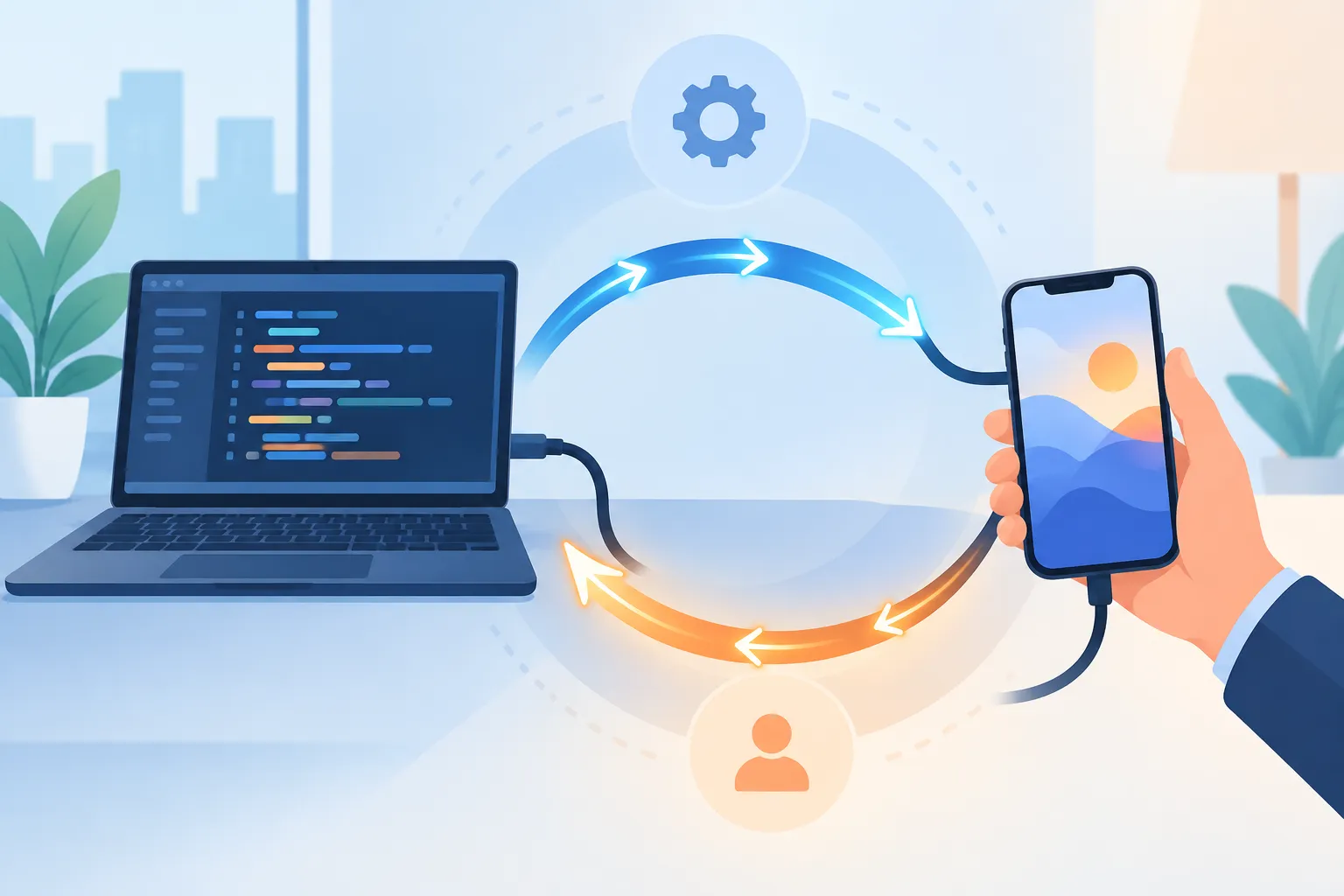
The backbone of the workflow was an automated loop driven from the terminal. Each time Claude Code changed the code, the same sequence ran:
- Claude Code edits the source.
- It compiles the app with xcodebuild.
- It installs the build on a connected iPhone with xcrun devicectl.
- It launches the app on the phone, so the change can be tried by hand immediately.
Why bother when the iOS Simulator on the Mac is right there? Because the simulator hides exactly what matters for this kind of app. Whether touch targets are big enough, whether haptics feel right, whether the script is comfortable to read and whether the eye-contact angle works can only be judged on a phone in your hand. As a later section shows, the simulator also masked a serious performance bug.
This project points to a broader lesson: an AI coding agent, meaning an AI that edits code and runs commands on its own to carry a task forward, appears far more useful when it is wired into a continuous build-and-deploy loop than when it is treated as a text generator that hands back code.
▲ The real-device build and test loop
Design in code, inside Apple’s guardrails
The project skipped the usual routine of mocking up screens in Figma and then rebuilding them in Swift. Instead, it designed screens directly in Claude Code, using standard components from Apple’s design kits. Sticking to stock iOS components worked as a helpful constraint: the app feels native and consistent, and nobody had to build a custom design system from scratch.
Getting the details right still took several rounds. Controls had to stay legible and usable over changing camera backgrounds, in portrait and landscape, and around the Dynamic Island.
This is also where the human role becomes clear. Claude Code will write whatever code you ask for, but it does not appear to bring taste or judgment of its own. A person has to supply the design sense, the critical review and clear architectural constraints. For familiar but tricky patterns such as onboarding, settings menus and navigation, the approach was to study how shipping apps handle them, using a searchable library of real app screens and flows, before writing the prompt.
A freeze the simulator never showed
During development, tapping a script to open it froze the app completely on the iPhone. In the simulator, the same action ran smoothly with no lag.
Claude Code’s first responses were guesses. One theory blamed synchronous layout rendering in TextKit, and none of the guesses fixed the problem. What turned things around was evidence. Claude Code wrote a custom performance logger, added it to the app and pulled runtime logs off the connected iPhone with devicectl.
The logs made the cause plain. The teleprompter screen was being re-created 11,645 times in 51.1 seconds. Each time the screen initialized, it saved default appearance settings. That save invalidated a SwiftUI data query, the query change rebuilt the screen, and the rebuilt screen saved the defaults again. Breaking that cycle ended the freeze for good.
The takeaway likely applies well beyond this app. When an AI agent keeps offering wrong explanations for a bug, stop asking it for another guess. Have it instrument the code with targeted diagnostic logging, then read what the device actually reports.

▲ Diagnostic logs exposing an endless rebuild loop
Tests that catch what you break
As features pile up, a change in one place can quietly break another. To guard against these regressions, Claude Code generated a suite of 25 automated UI tests covering script creation, renaming, sorting and display adjustments.
The suite proved essential. A later change to how scripts are saved broke 13 tests at once across the delete and rename flows, which made the root cause easy to find. After the fix, all 25 tests passed again. A clean test run is not proof of a bug-free app, though, especially for anything involving the camera hardware, sensors or the physical rotation of the device.
Getting through App Store review
Distribution required joining the Apple Developer Program, which costs $99 a year. Claude Code then took on much of the release work: producing release builds, generating marketing screenshots for a range of simulated screen sizes and drafting the product description.
The first submission was rejected under Guideline 2.1, Information Needed. Apple asked for a working demo video along with detailed answers about how the app is used and what external dependencies it relies on, to understand the hardware permissions and the remote control features.
Uploading that demo hit another wall. The screen recording was a 399 MB HEVC file, too large for App Store Connect and in a codec it would not take. Claude Code wrote and ran an ffmpeg command that scaled the video down and converted it to H.264, a widely supported video format, which brought the file to 7.4 MB. Apple accepted the file and then approved version 1.0, and the app went live.
| Stage | What happened |
|---|---|
| First submission | Rejected under Guideline 2.1, with a demo video and answers requested |
| Demo upload | 399 MB HEVC recording refused |
| ffmpeg conversion | 7.4 MB H.264 file accepted |
| Final decision | Version 1.0 approved and released |
What to borrow from this workflow
This project suggests that Claude Code can sharply shrink the distance between a design idea and production software, as long as the person directing it keeps the requirements specific and tests rigorously on real devices. To try the same with your own iPhone app, start here:
- Build the device loop first. Let the agent compile with xcodebuild and install with xcrun devicectl, so every change lands on a real iPhone.
- Design with Apple’s standard components directly in code, and study real app flows before prompting for complex screens such as onboarding or settings.
- When the agent’s bug theories keep missing, have it add diagnostic logging and pull the logs from the device.
- Write automated UI tests early, so changes to shared logic such as saving data surface regressions right away.
- Encode App Review demo videos as H.264 and compress them below the upload limit.
Taste and final judgment still belong to the person in charge. Treated as a partner in a tight build-and-test loop rather than a one-shot app generator, an AI coding agent appears able to help a single person ship a complete native app to the App Store.