Cutting footage is the slowest part of making a video, and it is also the part that keeps an editor tied to a desk. A recent workflow removes both problems at once. A complete video was edited through Claude Code sessions and a set of purpose-built tools that Claude Code itself wrote, and Final Cut Pro was never opened. In this setup, the human reviews rough cuts on a TV or phone, speaks edit notes aloud, and lets the AI agent handle the slicing, clip matching and rendering. The bigger idea is not a new AI editing app. It is using Claude Code to build small, personal software for a job that has nothing to do with programming, and then supervising that software instead of operating it by hand.
Why editing is the bottleneck
Editing takes more time and effort than any other stage of producing online video, and that effort matters: the amount of care that goes into an edit is closely tied to how well a video performs. Yet most of that effort goes into mechanics rather than creative decisions:
- Reviewing hours of footage to find usable takes
- Choosing cut points and arranging clips precisely on a timeline
- Searching an archive of B-roll, the supporting footage cut in over the main shot, that has grown over years of production
There is a physical cost as well. Desktop editing software such as Final Cut Pro is very capable, but it keeps you sitting or standing at a desk with a keyboard and mouse for long stretches, and that turns into a constant ergonomic battle. If the greatest strength of AI is removing drudgery from computer work, video editing looks like an obvious place to apply it: hand off the repetitive mechanics and keep human time for ideas.
Claude Code as a toolmaker
Claude Code is an agentic command-line tool from Anthropic. Agentic means it carries out complex, multi-step tasks by itself instead of answering one question at a time. It is installed locally, and you talk to it in plain language. It turns those requests into real work on your machine: writing scripts, managing directories and installing the dependencies, or supporting software, that a program needs. You can use it directly in a terminal, or indirectly through custom web apps it builds that you open on a phone.
That changes what software can mean for a nonprogramming task. Rather than waiting for a commercial editor to add a missing feature, you can ask Claude Code to build the exact tool your workflow lacks. Here, the starting point was a prompt asking for a custom editing suite that could produce videos without a commercial NLE, or nonlinear editor, the category of timeline-based software that Final Cut Pro belongs to. Claude Code generated the backend scripts and browser interfaces that connect conversational instructions to a video processing pipeline.
A software engineering background gave this project a head start on system design. Still, the approach rests on the view that people without deep coding experience can build similar tools with Claude Code.
Inside the custom editing suite
The suite runs as local web apps served by the desktop computer and opened in a browser. It has separate views for parsing the script, tuning audio cuts and making dialogue cuts in the A-roll, the main footage of someone speaking. These are the key tools:
| Tool | What it does |
|---|---|
| Transcript editor | Shows the spoken dialogue beside a video preview, and deleting words removes the matching frames |
| Cut tuner | Lays out cuts in order with waveform handles you drag to adjust edit points and audio crossfades |
| B-roll library | Indexes every clip with AI-written visual descriptions, transcripts, timestamps and camera angles |
| Review interface | Plays the rough cut on a TV or phone and records timestamped voice notes |
The same stack also applies color correction, exposure adjustments, audio leveling and LUTs, the lookup tables that apply a color grade in one step, directly to the raw media.
The cut tuner shows how quickly this kind of tool can appear. It exists to fine-tune edit boundaries and crossfades from a phone or a television, away from the workstation, a capability long wished for in Final Cut Pro. Claude Code produced a working version in a single pass.
The suite does not try to copy every feature of professional post-production software. It covers only what this particular workflow needs. That narrow focus is what keeps it light, especially compared with traditional editing packages that cost upwards of £1,000 decades ago.
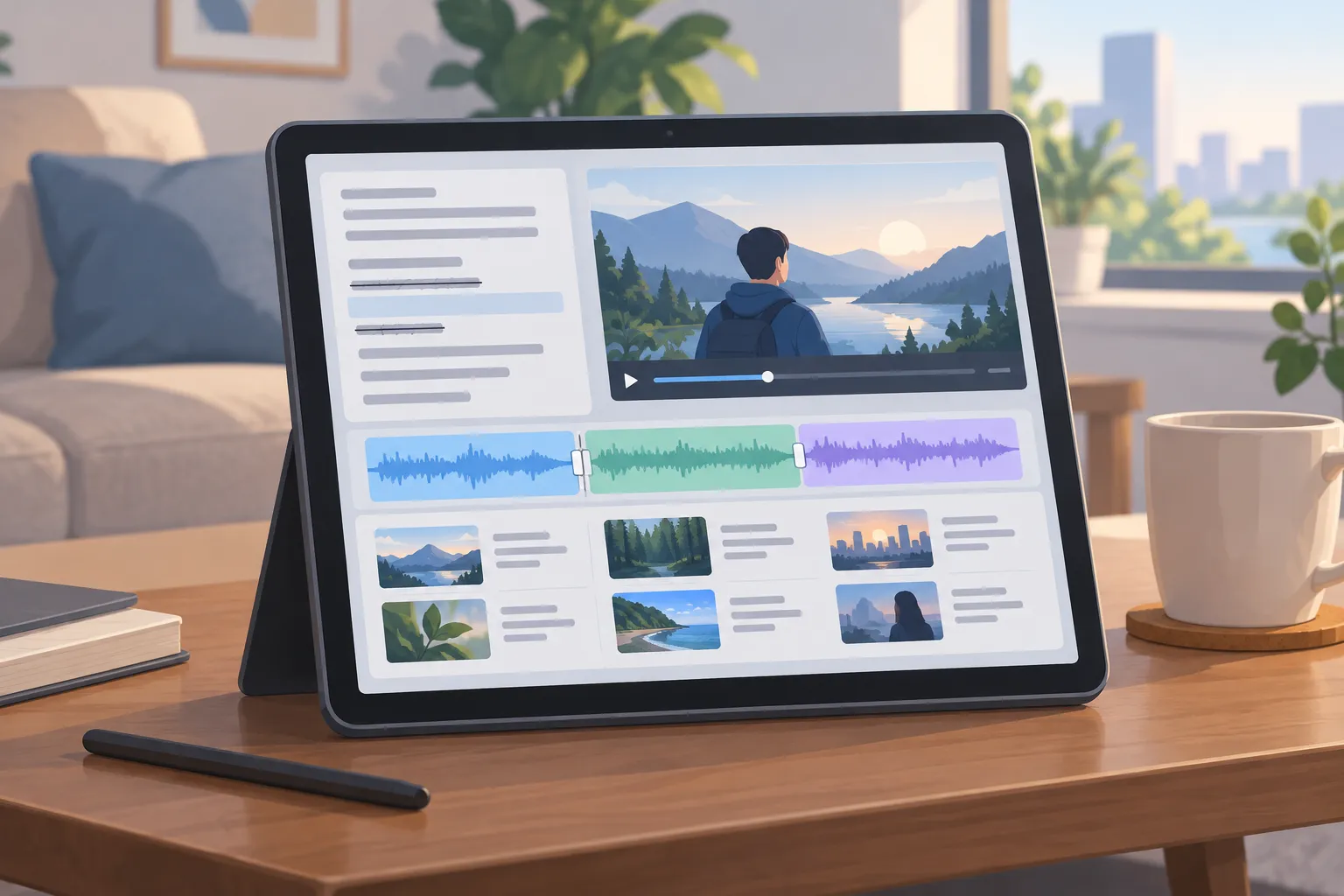
▲ A custom-built video editing toolkit
Directing an AI assistant editor
The human role shifts from operating software to directing it, much like an editor in charge of an assistant. The human sets the creative direction, and the AI carries out the technical work. A typical review loop has three steps:
- Play the rough cut on a TV or phone through the review interface.
- Speak notes while watching, and let Whisper speech recognition turn them into timestamped text.
- Have Claude Code read the notes and apply the changes to the project timeline.
The notes stay conversational. One might ask for a B-roll clip to be swapped for a different shot of the speaker, another for close-up shots of wires being soldered at the 34-second mark, and another for a scene to be shortened.
Choosing B-roll is automated too. Claude Code compares passages in the transcript with the visual descriptions in the B-roll library and drops matching cutaways onto the timeline. When the narration described moving from sitting on the floor to squatting and then standing, for example, Claude Code found the camera clip that showed exactly that, extracted the right section and placed it where those words were spoken.
Input moves away from the keyboard and mouse as well. Commands and status updates flow through smart glasses that display a terminal view in front of the eye, a wrist-worn macropad with four keys that connects over Bluetooth Low Energy, an ultra-compact physical keyboard and a smartphone. The software that runs on the glasses and the mobile hardware is custom-built for this workflow as well.
A home desktop as a private server
The hub of the setup is a desktop workstation at home. Tailscale, a mesh VPN service that joins devices into one private network, securely connects the phone, the smart glasses and other handheld devices back to that desktop over the internet, without complicated port forwarding. The desktop becomes a private headless server, meaning it does its work without anyone sitting at its own monitor, and phones and wearable displays act only as thin windows into the local web apps.
Heavy work, from building software to rendering video, stays on the desktop while the human directs it from somewhere more comfortable. In practice, that meant working on a garden patio or a couch in a cool bedroom with smart glasses and a TV, instead of being stuck in a hot, south-facing office.
The setup also reverses a common software model in which desktop and mobile sit in separate ecosystems joined by paid cloud subscriptions. Here, the home workstation is the self-hosted hub, and the phone simply displays what it serves. The result:
- No third-party cloud fees
- No lock-in to a single vendor’s platform
- No subscriptions to proprietary editing software
- Raw footage and project databases stay under the user’s direct control
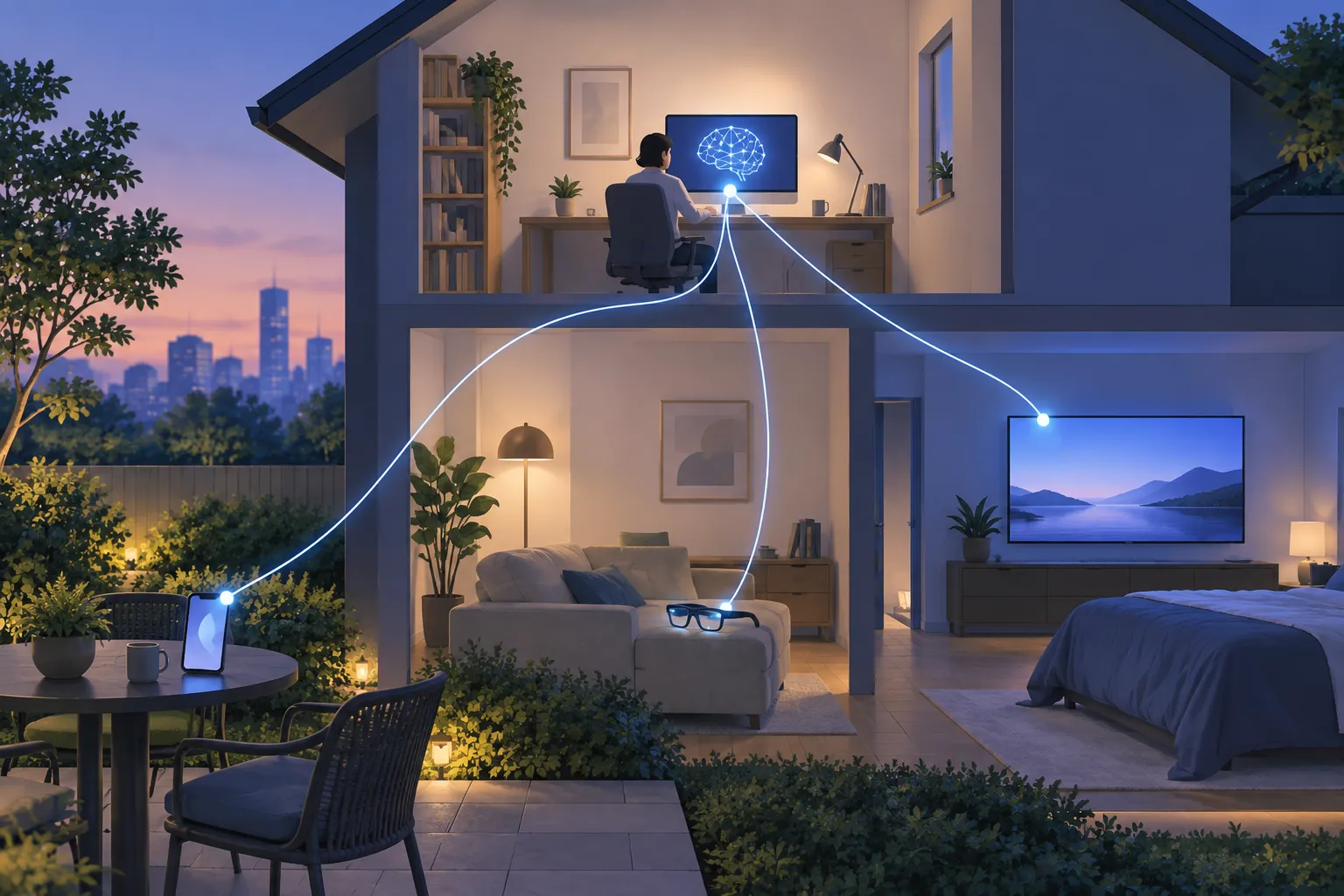
▲ A home desktop as a private editing server
From 5% manual finishing to none
The workflow did not reach zero manual editing in one jump. An earlier video edited with the same system still needed roughly 5% of its finishing work done in Final Cut Pro. This time that share dropped to zero, and the video was completed entirely through AI execution.
That earlier, AI-edited video also did well. In YouTube Studio, it ranked first among the 10 most recent uploads within 24 hours. Its results for the first 23 hours and 39 minutes were:
| Metric | Result |
|---|---|
| Views | 23,800 |
| Thumbnail click-through rate | 7.1% |
| Average view duration | 5 minutes 29 seconds |
The time investment stands out, too. Building the entire custom editing pipeline in Claude Code took less time than editing a single full-length video by hand.
Where the approach stops
This is not a replacement for professional post-production. High-end Hollywood and commercial studio work still needs dedicated NLEs, and Final Cut Pro remains great software. Its weakness in this context is a desk-bound design, not a lack of capability. What this case shows is that personal online video production can skip traditional editing software entirely, not that every editing job can.
The split of responsibilities matters as well. The AI takes over the mechanics of execution, but the creative voice, the storytelling and the personal experiences behind a video have to remain authentic to the person who makes it.
Beyond video editing
Supervising software through natural language could spread well beyond video, to fields such as graphic design and CAD, or computer-aided design. In that model, displays mainly show the current state of the work, and changes are requested in conversation. Instead of memorizing keyboard shortcuts or digging through nested menus, you say what you want and the AI translates that intent into actions. If the pattern holds, conversational, agent-driven automation may reshape most work done on a computer.
How to try this in your own workflow
The central lesson is to stop waiting for commercial software and build the narrow tool your bottleneck needs. A practical way to start:
- Pick the most repetitive, time-consuming step in your workflow.
- In a local repository, ask Claude Code to build a small web tool that handles only that step, and skip features you will not use.
- For video, begin with transcript-based rough cutting, so deleting words removes the matching footage.
- Index your media library with a multimodal AI model, one that understands images as well as text, so every clip gets a searchable text summary.
- Pair Tailscale with your main desktop to reach local web apps and media from any device without port forwarding.
- Separate intent from execution: say what should change, and let the AI adjust the timestamps and project files.
The broader invitation is to rethink three things together: how your desk setup treats your body, where AI agents fit into your tools, and whether a computer you already own can replace a stack of cloud services.