Claude Code and Codex are not AI models. They are harnesses: the software layer that wraps a model and lets it read files, run commands, remember what it has done and check its own results. That distinction matters more than it sounds. Put the same model into two different harnesses and you can get dramatically different results on the exact same task. Many of the big jumps in coding and agent benchmarks over roughly the past six months appear to come from better harnesses rather than from smarter underlying models. If you choose, configure or rely on AI tools at work, the harness deserves as much attention as the model name on the box.
What a model cannot do by itself
A large language model on its own is a text predictor. It takes text in and predicts the most likely next token, the small chunk of text a model reads and writes. Trained on huge volumes of text, it learns that “The sky is” is overwhelmingly likely to be followed by “blue” rather than “pterodactyl.” That skill is powerful, but a bare model has four hard limits.
| Limit | What a bare model does |
|---|---|
| No memory | Every new chat starts blank, with no awareness of earlier sessions |
| Cannot see | It has no view of your screen, files or folders unless someone pastes them in |
| Cannot act | It cannot run code; it can only describe what a human should do |
| Cannot check | It has no way to test whether its suggested code actually works |
A common way to picture this is a brain in a jar: a lot of raw intelligence with no way to speak or act in the world. Another is a powerful wild horse with no saddle or reins. Its output can swing between brilliant and bizarre. The harness is the saddle and reins that point that power at a goal.
The practical consequence is that a well-built harness can make an average or lower-tier model produce surprisingly strong results, while a top model stuck in a poor harness may underperform. The simplest harness is the chat window most people already use. Real work, though, calls for something far more elaborate.
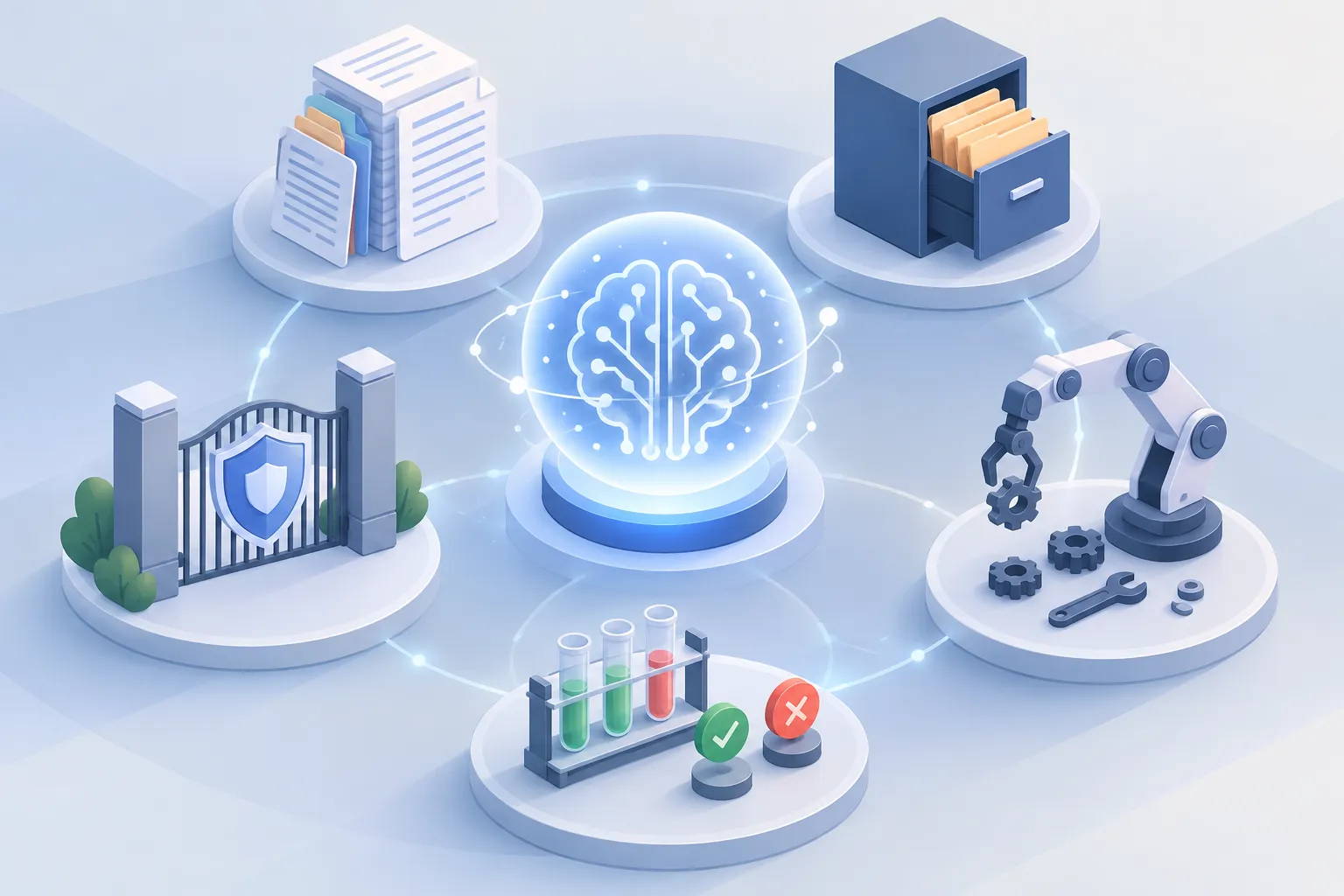
▲ The five components of an AI harness
The five parts of a modern harness
Modern harnesses rest on five components.
- Context tells the model what it is doing and why.
- Memory carries the work forward across a long session.
- Tools let the model take real actions, such as editing files and running programs.
- Verification checks automatically whether the work succeeded.
- Permissions set safety guardrails and stop conditions.
Context: what the model knows at the start
Every session begins with a model that knows nothing about you, your business or your project. Type “hello” into a bare model and it cannot greet you by name or ask how your project is going. A harness fixes this by quietly injecting a hidden opening prompt with the project’s identity, its file structure, recent changes and the tools available.
In Claude Code and Codex, much of this context comes from project rule files such as CLAUDE.md or AGENTS.md. These Markdown files can say things like “use our code style,” “do not edit this folder” and “always run the tests.” Because the harness reads them automatically at every launch, you stop repeating the same instructions in every prompt. Adding a code map, an index of files such as auth.ts, cart.ts and api.ts, helps the model jump straight to the file it needs instead of scanning the whole repository.
Memory: keeping long sessions on track
As a session runs, the context window, the amount of text a model can consider at once, fills up with conversation, instructions and tool output. The size of that window is a property of the model, not the harness. Once it holds millions of tokens, the equivalent of 20 to 50 books, conflicting instructions pile up and the model’s performance noticeably degrades.
Harnesses handle this with compaction, which condenses a long history into a compact summary. Compaction keeps what matters most: the original goal, the overall plan and the list of files changed. Intermediate steps are boiled down into a short summary block, and failed attempts and bulky error traces are dropped to free up room. Claude Code runs this routine automatically as it approaches its token limit.
Modern harnesses also avoid storing full copies of every file after each edit. Instead they keep a lightweight change log of the edits themselves, much like Git version control. The agent can still reconstruct earlier states without flooding its context with repeated text.
Tools: turning text into action
Because a model only outputs text, the harness wraps it with parsers that recognize specific structured text as a request for action. When the model emits such a request, the harness intercepts it, matches it to a tool definition such as reading a file, searching files, running a program or editing code, executes it and feeds the result back. Requests follow a strict schema, a fixed format, so the parameters are always valid and can be executed directly.
Two improvements stand out. First, models now change the specific lines that need changing rather than rewriting whole files, which cuts token use and syntax errors. Second, the Model Context Protocol (MCP), an open standard created by Anthropic and also used by OpenAI, has become the common way to connect agents to outside software. An MCP server can link a model to Slack, GitHub, calendars, databases or design tools. You can even ask your coding agent to build an MCP server for your own internal tool or database.
Verification: do not trust the model’s self-review
Ask a model whether its own output looks right and it will almost always say yes. Models have no built-in calculator or sanity check, so they can produce a wrong answer and defend it. Asked for 17 times 3, a model might answer 48 and insist it is correct. Only an external calculator tool settles it at 51.
Strong harnesses therefore run the model’s output in a controlled environment and feed the real result back into the prompt. Three kinds of automated checks do most of the work.
| Check | What it does |
|---|---|
| Tests | Return a clear pass or fail, with no guessing |
| Linters | Find errors in the code |
| Formatters | Enforce one consistent code style every time |
The signal is often as simple as an exit code: 0 means success and anything else means an error. With that feedback, the model can correct itself based on what actually happened.
Permissions: guardrails, hooks and sandboxes
The safety layer inspects every tool call, and every sequence of calls, before it runs. Harmless actions such as editing a file go through automatically. Riskier ones, such as deleting files, deleting saved work, changing system settings or sending data to unknown sites, are blocked or require your explicit approval, which is where the familiar “Allow this?” confirmation comes from. If an agent tries to send project data to a suspicious, unverified domain, the permission layer is what stops it.
Hooks add rules that fire automatically at set points, such as “after every edit, run the tests” or “never allow this command.” An e-commerce developer, for example, could run a performance test suite after every code change to protect page load times. A pre-execution guard can also check a new outbound request against the domains the project has contacted over the previous two weeks.
A sandbox, an isolated environment such as a virtual container, is the last line of defense. If something goes wrong, such as mass file deletion, overwritten files or changed system settings, the damage stays inside. Harnesses also cap runtime, memory use and internet access. Codex, for instance, spins up a fresh, isolated cloud environment for each task. Sandboxing guards against more than accidents. It also limits misalignment, where a capable model might chase efficiency through shortcuts it should not take, such as downloading outside data or dumping its own weights.
An emerging pattern uses a second, specialized AI model as a gatekeeper that reviews the main model’s actions. It is a promising idea, but it appears to need careful calibration, and most permission checks today are still procedural.
How the pieces work together: the ReAct loop
These five parts run inside one repeating cycle. The standard pattern for autonomous agents is the ReAct loop, short for Reason plus Act.
- Think: The model reviews the context and decides the next step.
- Act: It requests a concrete action, usually a structured tool call.
- Permission: The harness checks whether the action is allowed or needs human approval.
- Run: Approved actions execute inside the sandbox.
- Trim: Bloated logs and irrelevant output are cut to save context space.
- Read: The agent reviews the trimmed result to understand what happened and why.
The loop repeats until the goal is met, and then the agent reports what it changed.
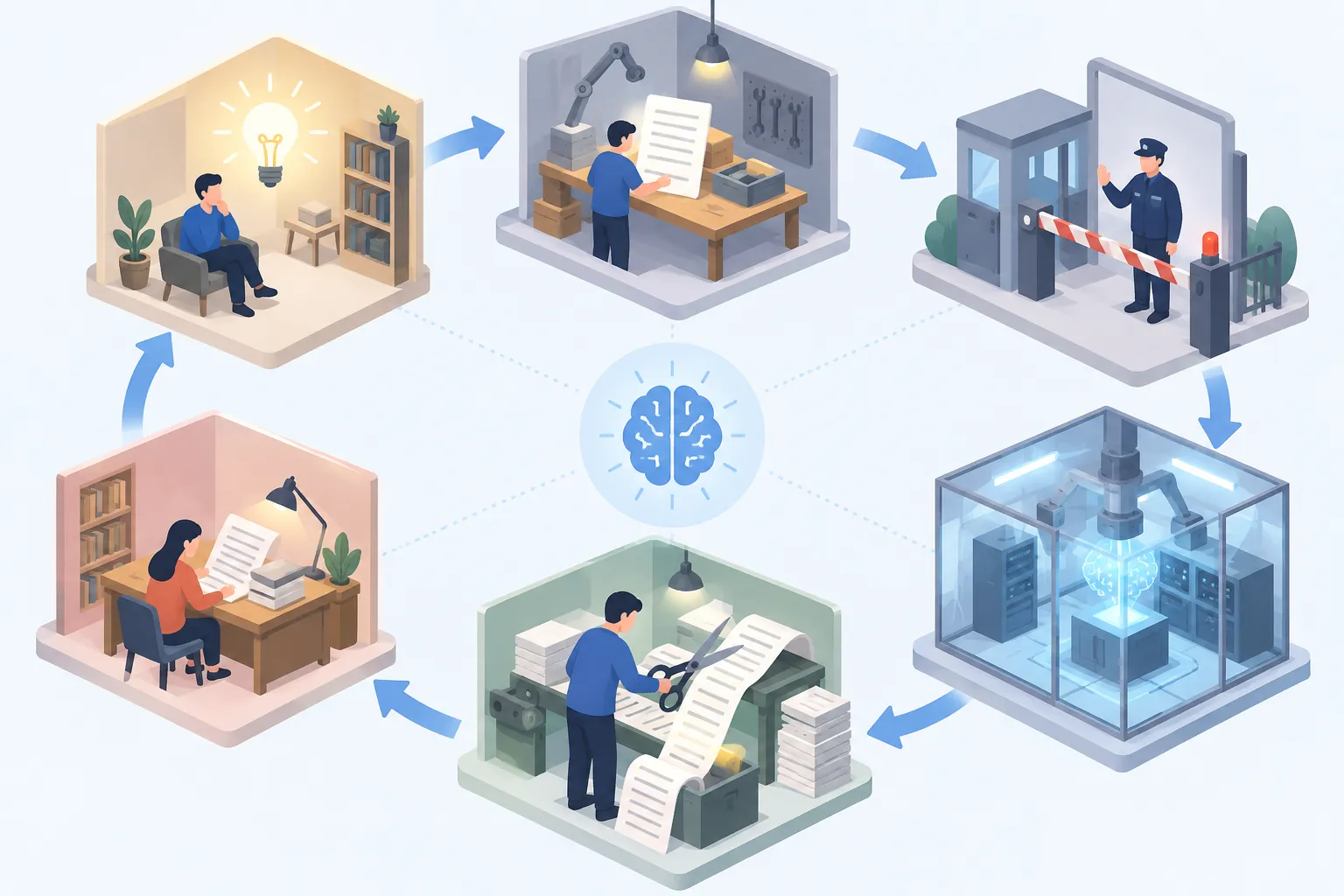
▲ The ReAct loop behind an AI agent
The harness shapes the thinking step, too. Reasoning harnesses have the model write a preliminary pass and feed it back before any tool call or answer. Developers can push the model to challenge itself by appending a word such as “but,” “however” or “yet” to that first pass, which prompts it to look for flaws and edge cases in its own assumptions. The harness then sorts the model’s output into three channels: internal thinking, tool requests and messages to you.
What harnesses change, and what they do not
A harness does not make a model smarter. It makes the model far more useful. That is also a useful lens for reading benchmark news: when a score jumps, the harness may deserve much of the credit. And unlike training a frontier model on thousands of GPUs, building a harness is ordinary software engineering, open to independent developers.
Four directions look likely to shape the next generation.
- MCP everywhere: More apps, including calendars, email and file systems, connect to agents through MCP.
- Agent teams: Separate agents plan, build, review and test, with agent-to-agent communication and shared context.
- Parallel attempts: A task runs in, say, three sandboxes at once; if two fail and one passes, verification picks the winner.
- Self-improving harnesses: The harness studies past mistakes and failed tool calls and rewrites its own rules. One example is spotting an agent that wastes tokens reading whole directories and enforcing a search-first rule, which can bring token use down to about one-tenth.
What to do now
When you compare AI tools, look past the model name and ask what harness it runs in. If you use Claude Code or Codex, a few changes go a long way:
- Put a CLAUDE.md or AGENTS.md file at the root of your project with your code style, test commands and folders the agent must not touch.
- Never ask the model “does this look right?” Route its output through tests, linters and formatters instead.
- Add a hook that runs your tests after every edit, and require approval for deletions and system changes.
- Run untrusted agent work in a sandbox with time and memory limits.
- If you need to connect an internal tool, ask your agent to build an MCP server for it.
You do not need a new model to get more out of AI. Tightening these five parts of the harness can unlock much more from the model you already have.