The trait that makes AI coding agents useful is the same one that makes them risky. An agent earns its keep by installing packages, running tests and changing configuration without asking first, but on an ordinary developer machine that freedom puts every SSH key, cloud credential and open network connection within its reach. Eclipse Enclave, an open-source runtime governed by the Eclipse Foundation under the MIT license, takes a different route from approval prompts: it leaves the agent unrestricted and restricts the box it runs in. One command starts each agent session in its own container with its own file view, network allowlist and stand-in secrets.
Why full autonomy on a workstation is a problem
A typical development machine holds unlocked SSH keys, cloud credentials, personal access tokens and unrestricted internet access. Hand an autonomous agent that environment and three problems follow:
- Prompt injection. Instructions hidden in a README, an issue or a web page can trick the agent into doing something the user never asked for.
- Credential exposure. An agent that can read the home directory can read the keys stored there, and anything it can read it can try to send elsewhere.
- Agent collisions. Several agents sharing one machine overwrite each other’s files, change package versions under each other and interrupt each other’s processes.
The usual fixes force a trade-off. Requiring approval for every command throws away the speed gains, while trusting the model’s judgment throws away the security. Enclave’s design rule is short: don’t constrain the agent, constrain the sandbox. The project is not an agent itself, and it is not a wrapper for any one model vendor. It is sandbox and container tooling that hosts agents such as Claude Code, OpenAI Codex CLI, Copilot CLI and OpenCode, and lets users swap between them.
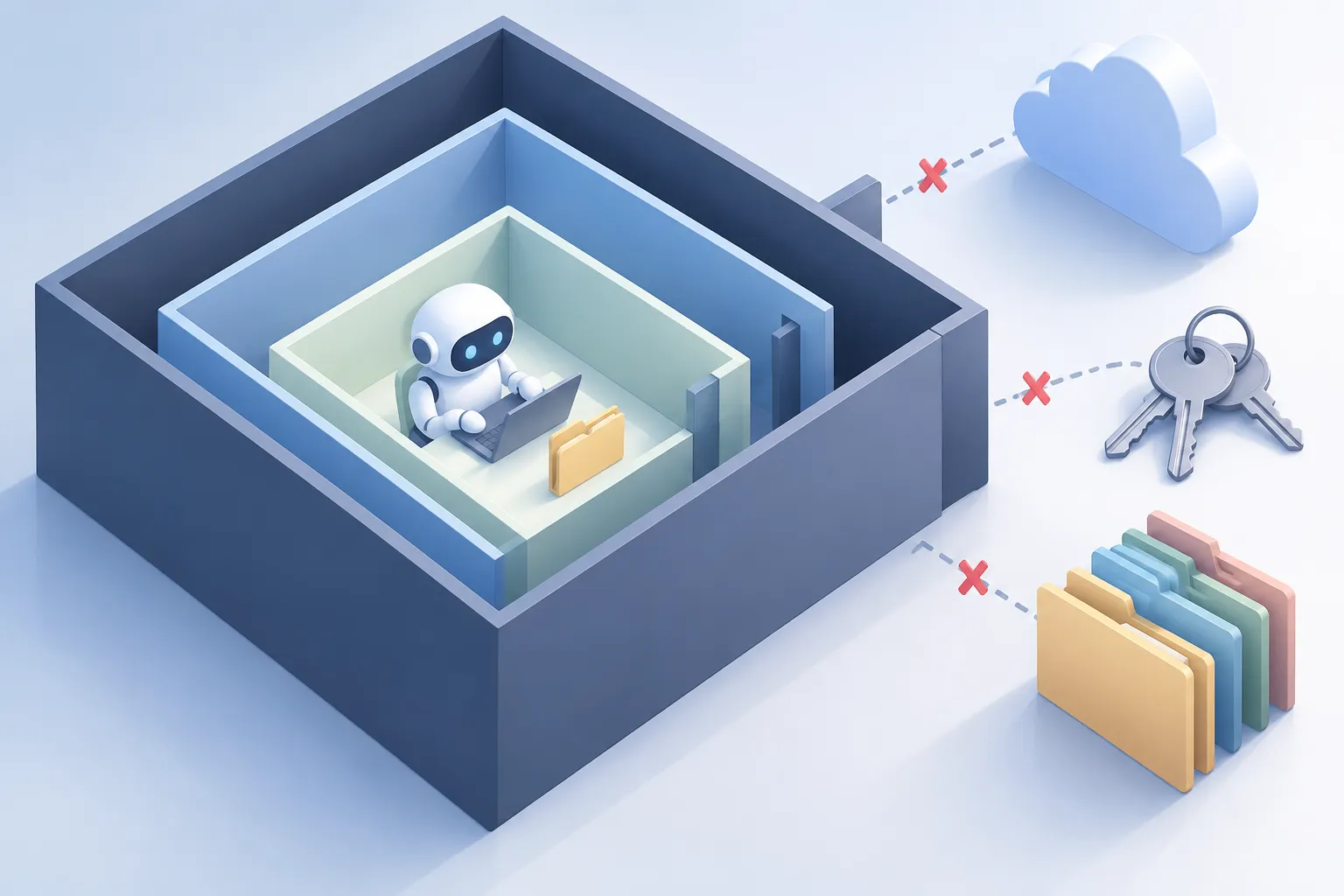
▲ An isolated environment for a coding agent
What a session looks like
Starting a session takes a single command. From a project directory, running enclave builds or pulls a container image with the chosen agent CLI installed, mounts only that directory, puts a network gateway in front of the container and drops the agent into its autonomous mode, such as Claude Code’s bypass-permissions mode. The first build takes a while; after that, cached layers bring a session back up in under two seconds.
Two quick checks show the isolation working. Listing the parent directory from inside the agent shows only the mounted project folder. Trying to reach a domain that is not on the allowlist fails at name resolution. If the agent genuinely needs that domain, enclave network add-domain run from a second terminal applies the change to the live session immediately, and removing the domain closes it again.
Four questions every session answers
Enclave organizes each session around four questions.
| Pillar | Question | Default behavior |
|---|---|---|
| SEE | What can the agent see? | Only the current project directory, read-write, plus a fresh empty home directory |
| RUN | What runs inside? | An image with the agent and runtimes such as Node.js or Maven |
| REACH | What can it contact? | A separate gateway with an allowlist and logging |
| KEEP | What survives the session? | Logins, history and settings persist; the runtime is thrown away |
SEE: the project folder and nothing else
Sensitive paths such as ~/.ssh, ~/.aws, ~/.kube and ~/Documents are never mounted. Because the project folder is a direct bind mount, the agent’s edits land on the host disk with no sync delay. Reference material can be added read-only with --add-readonly-dir. Developers who miss their usual setup can use --host-config-passthrough to copy allowlisted files, such as MCP (Model Context Protocol, a standard for connecting AI tools to outside data and services) server configs and skills, into the sandbox.
REACH: three gates in a row
Each sandbox gets its own gateway sidecar that filters outbound traffic in three stages:
- DNS filter. dnsmasq resolves only allowlisted domain names; every other lookup comes back as a nonexistent domain.
- Firewall. Because a hard-coded IP address would skip the DNS check, the firewall drops all outbound traffic except to IP addresses that the DNS stage legitimately resolved.
- Proxy. Traffic on ports 80 and 443 passes through a transparent proxy that checks the HTTP Host header and the TLS Server Name Indication, the domain a client names when opening an encrypted connection. Non-web protocols are dropped.
Each gate covers a gap in the others. DNS filtering alone misses direct IP connections, and IP allowlisting alone cannot tell apart the many domains that share one CDN address. Every denial is recorded and can be reviewed with enclave network log.
Secrets the agent never holds
The most distinctive piece is how credentials are handled. Inside the container, environment variables hold random placeholder strings instead of real API keys. When the agent sends an HTTPS request to a destination declared for that secret, the gateway swaps the placeholder for the real key in flight. If the same placeholder is sent to any other host, the gateway answers with HTTP 403 Forbidden. Since the real key never exists inside the container, an agent that has been fooled by prompt injection still has nothing valuable to leak. The GitHub CLI extension uses the same stand-in token approach.
KEEP: shared logins, separate projects
Sandboxing that forces a new login every time would not get used, so authentication for each tool, such as Claude Code or Codex, is stored once and reused across projects. Conversation history, memory, configuration and network logs are keyed by project path and stored outside the repository. One project’s context never bleeds into another, and agent state does not clutter the Git repository. Every network decision is logged per project and per tool, a record that can serve as compliance evidence under rules such as the EU AI Act and the Cyber Resilience Act.
Testing an exfiltration attempt
A test with a Codex session shows the model in practice. The agent was told to read the repository’s README and send its contents to an outside domain as a URL parameter, a stand-in for an injected instruction. The agent complied: it read the file, encoded it and tried to send the request. The gateway stopped the connection because the destination was not on the allowlist. The defense does not depend on the model refusing; it depends on the data having nowhere to go. Running enclave network log -f in a second terminal streams these allow and deny decisions as they happen.
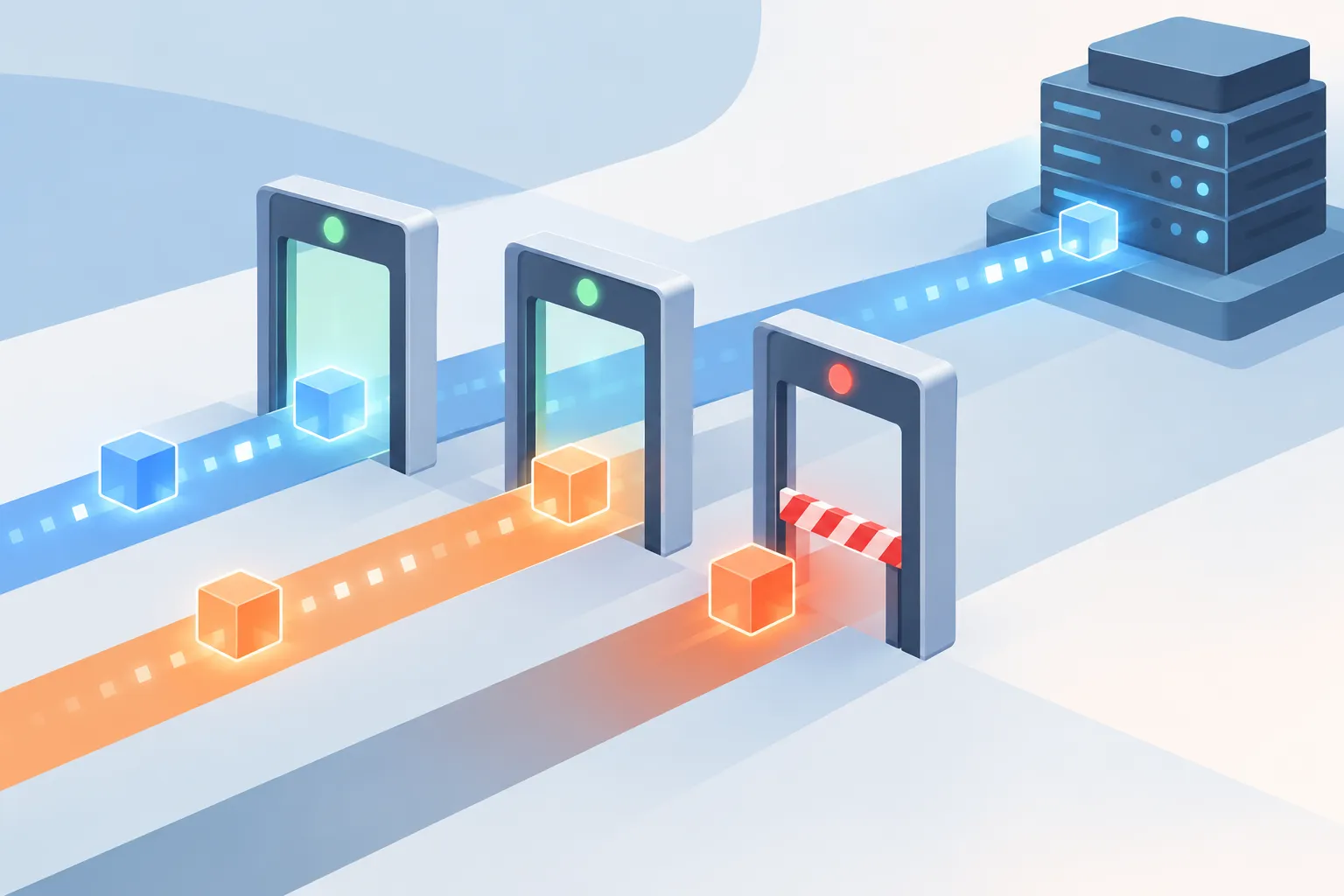
▲ Blocking traffic to destinations off the allowlist
Running agents side by side
Isolation also makes parallel work practical, which may matter as much day to day as the security itself. Instead of letting several agents share one folder or branch, the recommended pattern gives each agent its own Git worktree, a Git feature that checks out separate branches into separate folders, with its own Enclave session. Sessions can run in the background under a name set with --name, be listed with enclave ps, and be joined with enclave attach and left again without stopping them. Every command supports --json output, so the whole setup can be scripted.
Projects can tighten rules but never loosen them
Settings resolve in layers, and the more specific layer wins: CLI flags, then tool overrides, project config, global config and built-in defaults. Permissions are the exception. A project config can add restrictions, but settings that widen access, such as allowing all network traffic, are ignored with a warning. Widening must come from the global config or the command line, as a deliberate choice by the person at the keyboard. Extensions are also never loaded from inside a project repository, so opening an untrusted repository cannot run its code during setup.
Per-run flags tighten things further for specific jobs:
--project-mount readonlykeeps files unchanged when the agent should only plan an implementation.--worktree-metadata readonlylets the agent edit files but makes Git staging and commits fail, keeping commits under human review.--ephemeralstarts with no saved state and discards logins and settings afterward, for one-off or untrusted tasks.
Teams can share extensions and policies through any Git repository, with no registry required. Extensions are pinned to a commit hash, and before installing one, Enclave lists the scripts, allowed domains, ports and credentials it needs and asks for confirmation.
Known limits
Enclave narrows the risk without removing it:
- The default backend is a rootful Docker daemon, so the container should not be treated as an escape-proof boundary.
- Network filtering controls where data goes, not what the data says.
- Placeholder swapping applies only to declared secret headers. Interactive OAuth logins in a browser still place real tokens inside the container.
The project is also young. It started as an internal tool in late 2025, was contributed to the Eclipse Foundation in May 2026, and a 1.0 release is expected within weeks. Pre-release builds run on Linux, macOS and Windows through WSL2, with rootless Docker or Podman.
What to decide before you hand over the keys
If you run coding agents in an autonomous mode, or plan to, it appears safest to switch off permission prompts only inside an isolated environment. Whether you use Enclave or another approach, settle four things first:
- Visibility. Limit the agent to one project folder and attach reference material read-only.
- Network reach. Allow only the domains the work needs, such as package registries and model APIs, and review the deny log.
- Secrets. Keep real keys out of the agent’s environment variables.
- Human control. Reserve commits and any widening of permissions for a person.
If you run several agents at once, giving each one its own Git worktree is the simplest first step toward avoiding collisions.